How to Place the Knitting Ranges
- The knitting range is defined in the Knitting Ranges table.
- The reference point is available in the fabric piece.
- 1
- Select
 in the Drawing Tools group.
 - 2
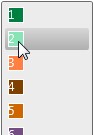
- Select the knitting range defined as main row.
- 3
- Click the desired shape point in the fabric piece.
- The pop-up window appears.
- 4
- Set the position in the edit box of the pop-up window.

- 5
- Do not activate the
 Örgü alanını aşağı doğru yerleştir check box.
 - The knitting mode area is positioned upwards in relation to the shape point.
- 6
- The previous knitting range will end automatically on an even-numbered row then.
- 7
- Close the pop-up window.
- The knitting range appears on the fabric piece above the reference point.
 Note
Note
Proceed the same way to position a knitting mode definition in relation to a marking point.