Yarn Allocation
İplik düzenleme
Başlat tab -> Araç penceresi -> İplik düzenleme
In the İplik düzenleme tool window you can assign a yarn to every pattern color from the İplik tanımı tool window.
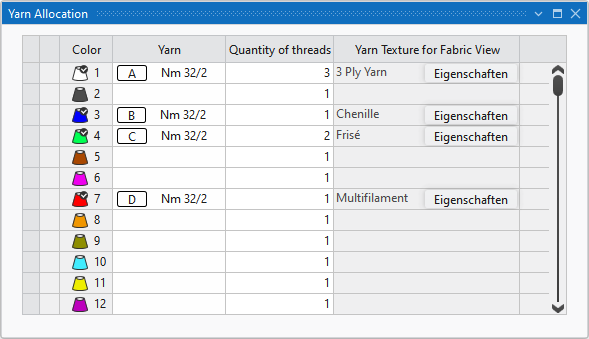
The following settings are made for the different colors in the table:
|
Renk |
Desendeki teknik ipliklerinin ve ipliklerin karakteristik renkleri |
|
İplik |
İpliklerin karakteristik renkleri ve karakteristik harfleri İplikler, İplik Tanımlaması tablosundan tanımlanır. |
|
İplik sayısı |
Bir desen rengine atanmış olan iplik bobinlerinin sayısı |
|
Örgü görünümü için iplik dokusu |
Atanan iplik Displays the yarn from the Knit Explorer, that was defined for the corresponding pattern color for the presentation in the fabric view. The yarn selection cannot be changed here but you can open and edit the properties of the yarn. The changes are applied in the Knit Explorer. |