Start Directory with knitting element type: Start

This includes all knitting elements for the different starts depending on the selected machine type and the gauge for the knitting techniques
- All Needles with all selection possibilities
- Comb
- Clamping / Cutting
- Type of Start, 1x1, 2x1, etc.
- Quantity of Systems
- Elastic Thread
- Protection Yarn
- Transition
- 1x1 Technique with all selection possibilities
 : The selected knitting element will be inserted into the design pattern according to the settings in the 新花型 dialog box.
The respective tile of the start will be inserted according to the setting in the  行标记 control column of the knitting element.
Options for creating a new start:
- In the
 编织资源管理器:: All of the STOLL knitting elements are write protected.
 - In order to modify a knitting element, you have to copy an existing
 STOLL knitting element as a template.
 - Make changes in a local knitting element: The local knitting element is no longer write-protect and is used only in respective project.
Saving the knitting element type Start in the Knit Explorer
-
编织资源管理器
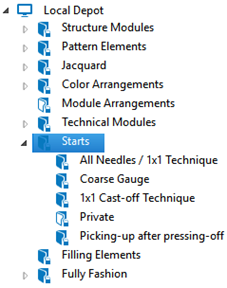
- This write-protected
 起头 directory contains all the Start knitting elements for the different starts with their corresponding properties.
 - There are further subdirectories for a better structuring.