Quick Access Toolbar (MC Jacquard Editor)
In the quick access toolbar you have access at any time to the following commands:

Using the drop-down menu you can display and hide the commands in the quick access toolbar and make settings.
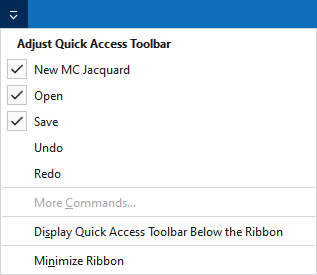
调节快速访问工具栏
The following commands can be displayed and hidden in the quick access toolbar:
|
|
创建一个新 MC 提花 (*.jac)。 |
|
|
打开文件(花型,编织元素,模型) |
|
|
保存 |
|
|
撤销之前操作。 |
|
|
重复之前操作。 |


Make settings for the quick access toolbar and the ribbon:
|
在功能区下方显示快速访问工具栏 |
Display the quick access toolbar under or above the ribbon. |
|
功能区最小化 |
Show or hide the ribbon. |