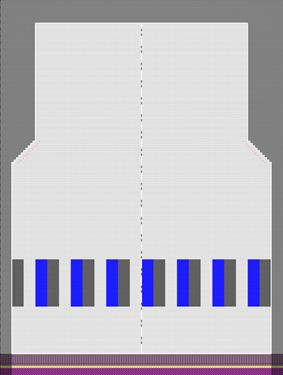
For advanced users: Pattern 11A: Knitting Range with Color Arrangement

机器

  • As desired
    • Example for CMS 530 HP,E3,5.2 (classification 656)

  • 编织工艺
    • 满针
  • 填充元素
    • any yarn color
    • 带翻针前板线圈
  • 起头
    • 起头,1x1 :
    • 一个系统
    • 不使用弹力纱
    • 使安全行纱
    • 放松行

花型项目

Pattern-11A.spf

线模型项目

Create private lined shape in 花型项目

  • Create new lined shape:
    • 新建线模型项目
  • Working with 编织区域颜色:
    • Allocating a Color Arrangement

  1. Create a pattern project with one pattern.
  2. Draw design pattern (basic pattern) SJ structure
  3. Generate pattern element
  4. Create Color Arrangement for the pattern element
  5. Create private shape as lined shape in the pattern project
  6. Create and insert knitting areas
  7. Position private shape in the basic pattern.
  8. Start the Technical Processing.
  9. Generate knitting program (Sintral, Jacquard, Setup).
  10. Run the Sintral Check.
  11. Load and set up the knitting program on the machine.