Sequence Editor
In the Sequence Editor, you can open and edit sequences that you have previously created in the 花型 tool window.
Create a sequence.
- Activate
 使用订单 option in the 花型 tool window.
Pattern Tool Window - Create the knitting program for all patterns of the sequence.
- You will find the 创建顺序 function in the context menu of the order.
Context Menu on the Order - A sequence is created from all the patterns in this order.
Edit a sequence.
Start the Sequence Editor and load the desired sequence.
Make the following settings in the Sequence Editor:
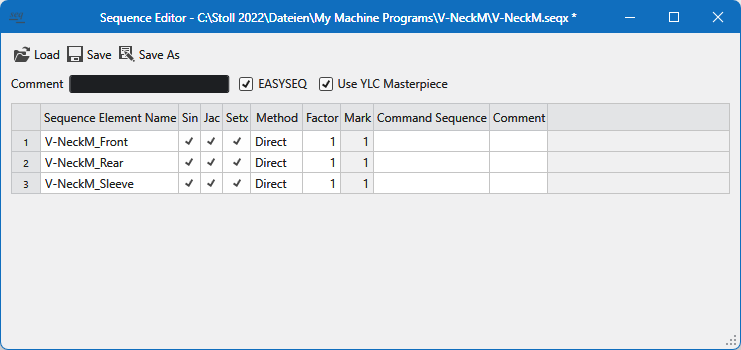
|
|
Open a sequence |
|
|
Save a sequence |
|
|
Save the sequence under a different name or path. |
|
Comment |
Enter a comment for the sequence. |
|
|
The EAY command will be inserted between the sequence elements. |
|
|
Yarn length control with original piece (Masterpiece) |


Make the following settings in the columns of this table:
|
Sequence Element Name |
Enter the name of the sequence element. |
|
Sin / Jac / Setx |
Activate the program sections available in the respective sequence element. |
|
Method |
Enter the method of the repetition factors for the sequence element (quantity).
|
|
Factor |
Enter the repetition factor for the sequence element (quantity). |
|
Mark |
Specify the beginning with which line of the jacquard in the machine memory is deleted.
|
|
Command Sequence |
Specification of cycle counters and counters / other commands. |
|
Comment |
Enter a comment to the sequence element. |
 Usually, the whole previous Jacquard program should be deleted. For this reason, the 1 appears by default.