Combine Fabric Piece Halves (dialog box)
You can combine the left and right polyline of two fabric pieces to a common new one via this dialog box.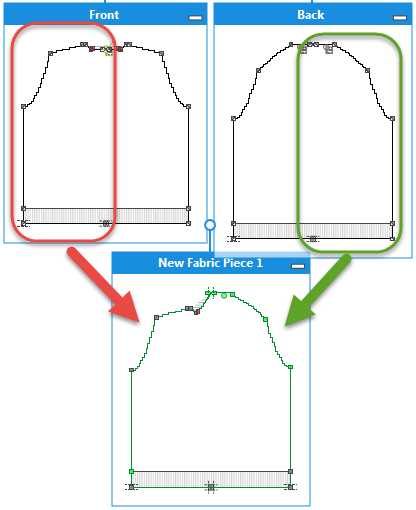
Call-up the 合并织片 dialog box by the 合并织片... context menu of the title bar of the fabric piece. Context menu 级联菜单
Elements in the dialog box:
- Name

Enter a name for the new, combined fabric piece. - Fabric Piece as Left Polyline

Select a fabric piece for the left polyline.
The fabric piece on which you called up the context menu appears in the edit box by default. - Fabric Piece as Right Polyline
Select a fabric piece for the right polyline. -
OK
Save entries and close the dialog box. -
Cancel
Close the dialog box without saving.