Pattern Properties
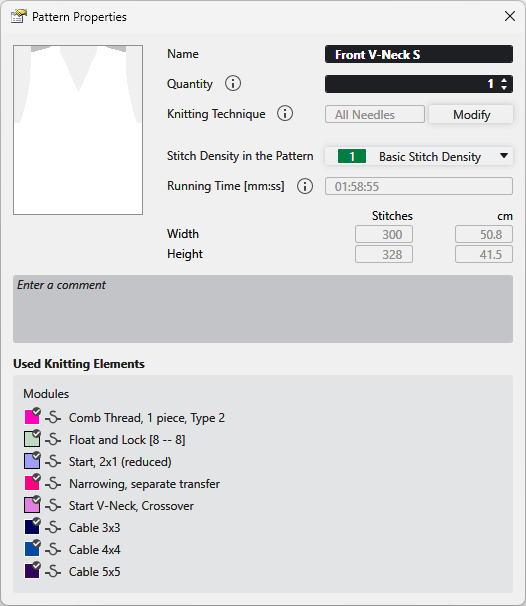
In the 花型属性 dialog box you get the information on the pattern and can make the following settings.
|
名称 |
View and edit the name of the pattern. |
|
数量 |
Enter the quantity of fabric pieces to be knitted of this pattern. |
|
编织工艺 |
Displays the knitting technique (all needles or 1x1 technique).
|
|
修改 |
Changes the knitting technique between 满针 and 1x1 方式 . |
|
花型中的线圈密度 |
Displays the entered stitch density of the pattern. Select an entry from the 线圈密度 tool window. |
|
运行时间 [ 小时:分钟:秒 ] |
Shows the running time in minutes and seconds.
|
|
宽度 |
Shows the width of the pattern in 线圈 and 厘米. |
|
高度 |
Shows the height of the pattern in 线圈 and 厘米. |
|
输入注释 |
Enter a comment to the pattern. |
|
使用的编织元素 |
Shows the modules in use by the pattern. |


 You have to enable the "odd needle quantity" check box of the shape properties for a pattern with overlying shape in 1x1 technique with an odd quantity of needles.