Overview
Overview
Start tab -> Tool Windows -> Overview
View tab -> Overview
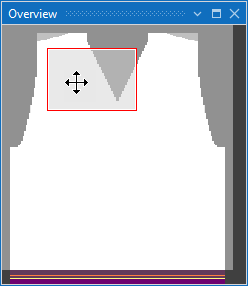
The entire pattern is shown in the overview window.
A frame inside of the overview window shows the area of the pattern that is displayed momentarily in the document window.
This frame can be moved to a desired position in the pattern to display the specific area in the document window.