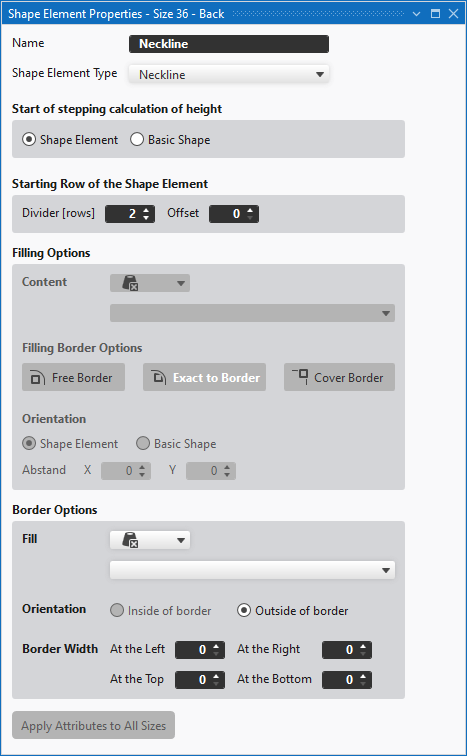
Shape Element Properties
- A shape element is present in a fabric.
- 1
- Click on the shape element with the right mouse button.
- The context menu appears.
- 2
- Select Shape Element Properties.
- The Shape Element Properties dialog box appears.
- 3
- Modify certain parameters.
- 4
- Confirm your selection clicking on Apply Attributes to All Sizes.