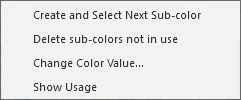
Context menu on the colors (color palettes)
|
Create and Select Next Sub-color |
Generate and select a new sub-color. |
|
Delete sub-colors not in use |
Deletes the sub-colors of this color that are not used. |
|
Change Color Value... |
Change color value of this color. |
|
Show Usage... |
Opens the Usage window where all pattern elements, shapes and patterns of the pattern project are displayed, where the pattern color is used. |