Comb
Comb Section
|
|
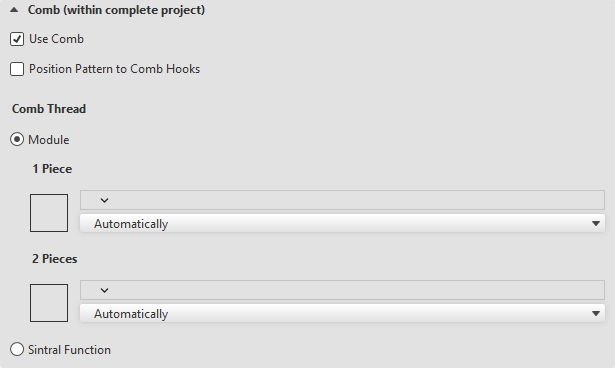
All patterns in the project are knitted with comb start. This setting applies to all patterns in the project. |
|
|
The pattern is positioned optimally in relation to the comb hooks. The comb thread insertion is widened a bit when necessary to ensure an optimal hook-in of the comb hooks.
Recognizable in the Select Machine dialog box General section by Annotation:.
|
|
Comb Thread |
Insert comb thread via:
|
|
|
Select module.
|
|
1 Piece |
Select module for the comb thread insertion for single piece knitting. The suitable module is determined and applied by setting to Automatically. Modules of the module group Comb Thread -> Stoll |
|
2 Pieces |
Select module for the comb thread insertion for two piece knitting. The suitable module is determined and applied by setting to Automatically. Modules of the module group Comb Thread -> Stoll |
|
|
Carry out comb start via Sintral function. Select Sintral function. |

 Only available for machines with reduced comb hook.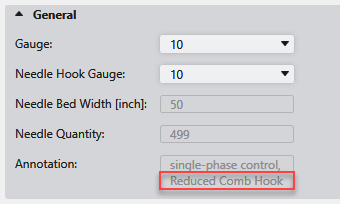


The following section appears with BMS machines at this point: