Editing Area of Jacquard Module
Jacquard modules consist of various individual tiles that are applied in different knitting situations.
Tiles
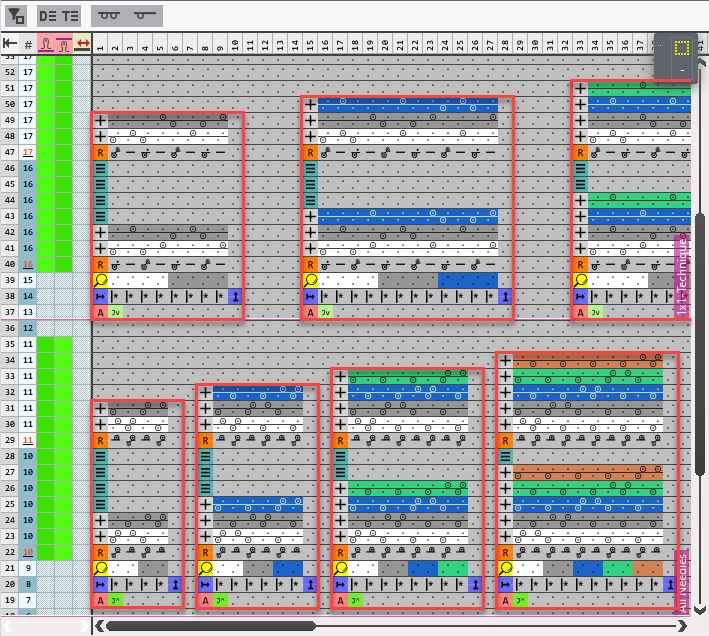
The red-framed areas represent the different tiles.
Areas
In the header of the editing area you make the settings for the view of the Jacquard module.
|
|
Toggle the filter. |
|
|
Show Design Rows |
|
|
Show Technical Rows |
|
|
All Needles |
|
|
1x1 Technique |


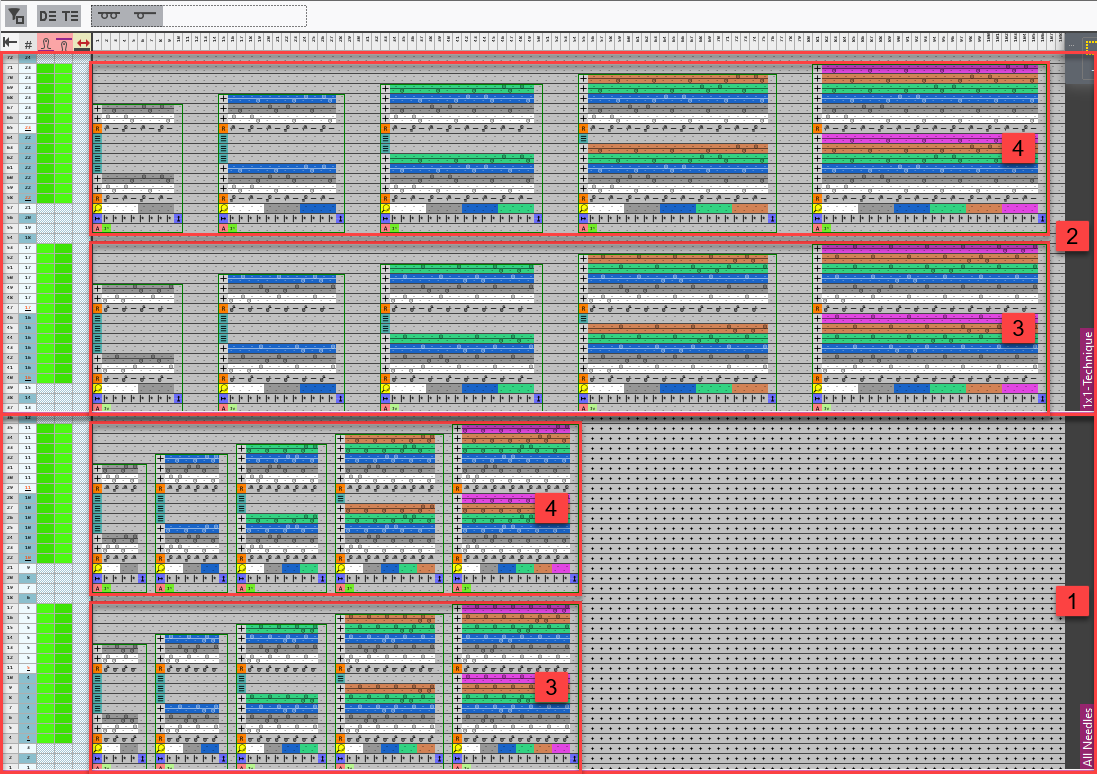
|
1 |
Area of All Needles |
|
2 |
Area of 1x1 Technique |
|
3 |
Areas for Jacquard, Picture at Front |
|
4 |
Areas for Jacquard, Picture at Rear |


 Every area contains tiles for 2 to 6 color Jacquards.
In specific situations, an area can also be defined for Jacquard, Picture at Front and Rear .
.
The individual tiles
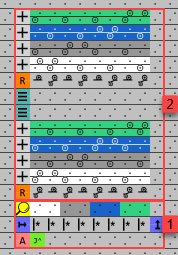
|
1 |
Search Area The search area consists of three rows.
In the search row you can find the search attributes, as for example the colors.
In the repeating row it is determined how the processing area is applied in the width.
The attribute row contains, among other things, the specification about the picture side of the Jacquard. |
|
2 |
Processing Area The processing area consists of design rows ( For every color area in the search area, it is determined how the knitting sequence for every applied yarn color in the pattern is supposed to occur. The number of rows in the processing area is dependent on the required repeating cycle and can be determined as desired. |

 Defining colors are used that are replaced by the current colors of the pattern when applying the module. The first defining color of the module corresponds to the first found color in the pattern, etc.

 in the image) and technical rows (
 in the image).