Status Bar of Fabric View
Left and middle area of the status bar
Displays that refer to the cursor position.
|
|
Shows the coordinates of the cursor position. If an area of the pattern is selected, the coordinates of the startpoint and of the endpoint, and the size of the selected area, are displayed to the left above the status bar. |
|
|
Shows the yarn color at the cursor position. |
|
|
Shows the needle action or module at the cursor position. |
|
|
Shows the stitch length at the front and rear of the cursor position. |




Right area
Here you can make layout settings for the document window.

|
|
Collapsed Shows the compact view of the pattern. |
|
|
Distortion View When activating the distortion representation, the stitch distortion is automatically calculated. This is especially important with designs with stitch transfer, narrowings and Fully Fashion designs. |
|
|
Display in Relation of Stitch Density If the view is activated with stitch density ratio, the design is displayed with the stitch density that was entered in the Stitch Densitytool window. |
|
|
Dissolve Drop Stitches By activating the display of drop stitches, failures in the knitting design become visible. |
|
|
Yarn Texture By activating the yarn texture, the yarn structures of the yarns in use become visible. Make the corresponding settings in the yarn properties. |
|
|
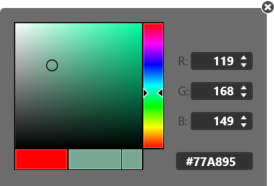
Background Click on the
3 ways to specify the color:
|


 button to define the background color of the fabric view.