Default Settings
Default Settings Section
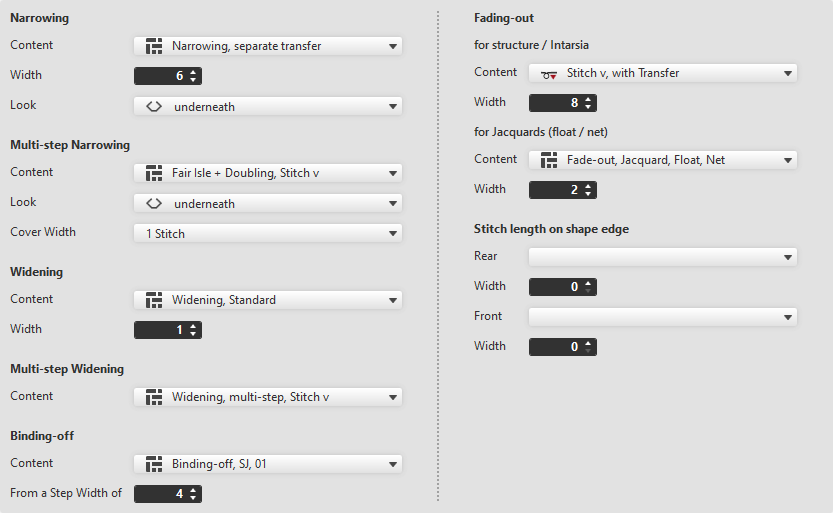
Make the following settings in the Default Settings section:
 By drag-and-drop is available to select the module.
Narrowing
|
Content |
Select narrowing module from the offered options or directly from the Knit Explorer. | |
|
Width |
Set the width of the narrowing. | |
|
Look |
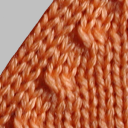
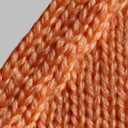
Select the look for narrowing. | |
|
underneath |
above | |


Multi-step Narrowing
|
Content |
Select the module for multi-step narrowing. |
|
Look |
Select the look. |
|
Cover Width |
Enter cover width. |
Widening
|
Content |
Select widening module. |
|
Width |
Enter width of the widening module. |

Multi-step Widening
|
Content |
Select the module for multi-step widening. |
Binding-off
|
Content |
Select module for the binding-off. |
|
From a Step Width of |
Enter the minimum step width requiring binding-off. |

Fading-out
The fading-out can be configured differently for Structure / Intarsia and Jacquard.
for structure / Intarsia
|
Content |
Select module for fading-out with Structure and Intarsia. |
|
Width |
Enter the width for fading-out. |

for Jacquards (float / net)
|
Content |
Select module for fading-out with Jacquards. |
|
Width |
Enter the width for fading-out. |
Stitch length on shape edge
|
Rear |
Select the stitch length (NP value) for the rear needle bed. |
|
Width |
Enter the width of the deviated stitch length in the rear of the shape edge. |
|
Front |
Select the stitch length (NP value) for the front needle bed. |
|
Width |
Enter the width of the deviated stitch length in the front of the shape edge. |
