Project Settings
File tab -> Call-up Options selection.
Select the Options section in the  Project Settings dialog box.
Make the following settings in the Project Settings section:
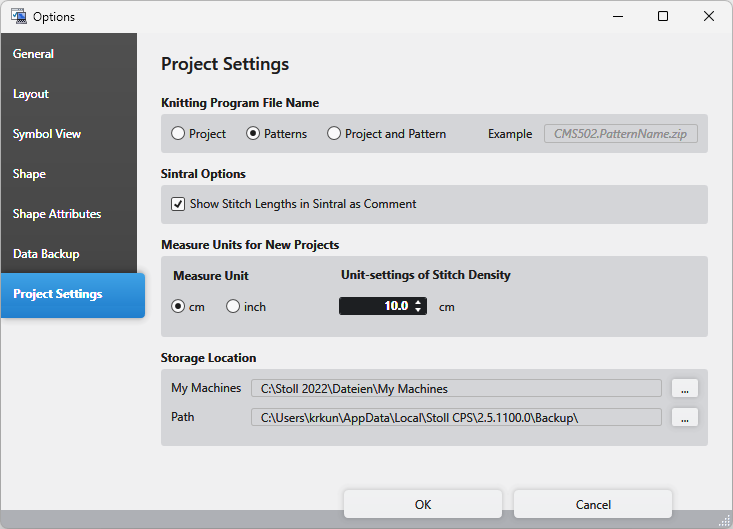
Knitting Program File Name
|
|
Select the composition of the knitting program names. |
|
Example |
An example of the selection is displayed |

Sintral Options
|
|
All the NP values used in the pattern are displayed as comment within the Sintral. |
|
|
The NP values are not displayed as comment within Sintral. |


Measure Units for New Projects
|
Measure Unit |
Select the measure unit.
|
|
Unit-settings of Stitch Density |
Enter the reference measure for the stitch density in the set measure unit. |

Storage Location
|
My Machines |
Select the path on which your machines are saved. |
|
Backup |
Select the path on which the backup is saved. |