Go To (dialog box)
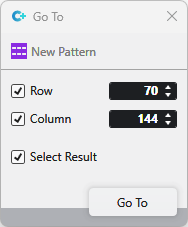
Open the Go To dialog box in the Go To... context menu of the pattern layer.
|
|
Enter the Row you want to jump to. |
|
|
Enter the Column you want to jump to.
|
|
|
The jumped to result is selected. |


 With row and column enabled, the position with the corresponding coordinates is jumped to.