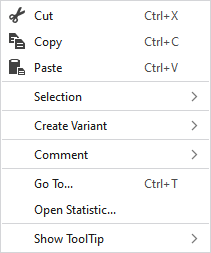
Context Menu of Modules
|
|
Elimina el contenido de la selección y lo copia al portapapeles. | |
|
|
Copia el contenido de la selección al portapapeles. | |
|
|
Llevar el contenido del portapapeles al cursor (atributos del cursor). | |
|
Selección |
Select |
The functions of the menu bar Selección are also available in the context menu. |
|
Proteger |
A selection can be protected from interventions. | |
|
Crear variante |
Creates the missing variants by using the generated module.
| |
|
Comentario |
On any point in the module, position a pin, a comment or a graphic. | |
|
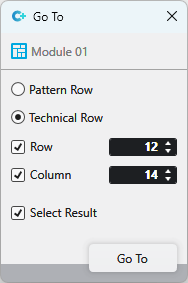
Ir a... |
Select Enter
| |
|
Open Statistics |
Open the Statistics dialog box. | |
|
Mostrar información rápida |
|
Activates the tooltip in the needle area. |
|
|
Activates the tooltip in the control columns. | |
|
|
The coordinates of the drawing are shown when drawing. | |


 and
and