MA tool window
Tool Window  MA (Module Arrangements )
Inicio tab -> Ventana de herramientas -> Module Arrangements
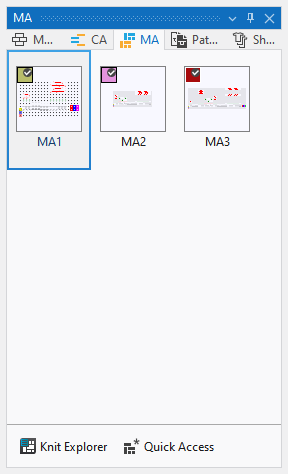
Module Arrangements are knitting elements that can assign a specific sequence to different transfer processes of structure modules in the pattern.
The expansion occurs with technical processing.
 Using By drag-and-drop you can also drag a MA from any desired folder from any desired project into the tool window.
The presentation of the MAs has the following meaning:
Make the following settings in the MA tool window:
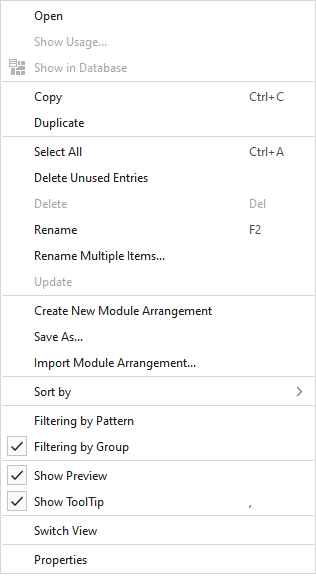
In the context menu on the Module Arrangements:
|
Abrir |
Opens the MA. |
|
Visualizar aplicaciones... |
Displays the files of the pattern project where the MA is used. |
|
|
Displays the MA in the Knit Explorer. |
|
Copiar |
Copies the MA. |
|
Insertar |
Pastes the copied MA. |
|
Duplicar |
Duplicates the MA. |
|
Seleccionar todo |
Selects all MAs. |
|
Eliminar entradas no utilizadas |
Deletes all MAs that are not used. |
|
Eliminar |
Deletes this MA. |
|
Renombrar |
Rename this MA. |
|
Cambiar nombre de varias entradas... |
Opens the dialog box Cambiar nombre de varias entradas. |
|
Actualizar |
Update MA. |
|
Generar nuevo Module Arrangement |
Creates a new MA for this pattern project. |
|
Guardar como... |
Saves the MA in any folder. |
|
Importar Module Arrangement... |
Imports a MA from any folder. |
|
Clasificar según |
Sorts the MAs by Nombre or Personalizado.
|
|
|
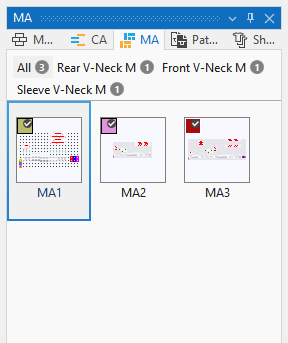
With an active filter, the pattern names of the project appear above the MAs. Beside each name appears the quantity of MAs that are contained in the pattern. By clicking on the pattern name only the MAs applied in the pattern are displayed. By clicking on Todos all MAs of the project are displayed.
|
|
|
With an active filter, the groups that are defined in the Muestra tool window appear above the MAs. Beside each group appears the quantity of MAs that are contained in the group. By clicking on the group only the MAs applied in the group are displayed. By clicking on Todos all MAs of the project are displayed.
|
|
|
In the tooltip on the MA appears the preview of the MA. |
|
|
In the tooltip on the MA appears the Quickinfo of the MA. |
|
Conmutar vistas |
Switches the view of the MAs between tiles and list. |
|
Propiedades |
Opens the Propiedades tool window of the MA. |

 Only possible in the context menu on an empty area beside the MAs.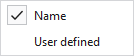

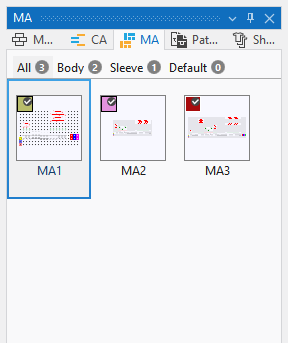
- Module Arrangements
- Directorio Module Arrangements con tipo de elemento de tisaje: Module Arrangement