Default Settings
Valeurs prédéfinies par défaut Section
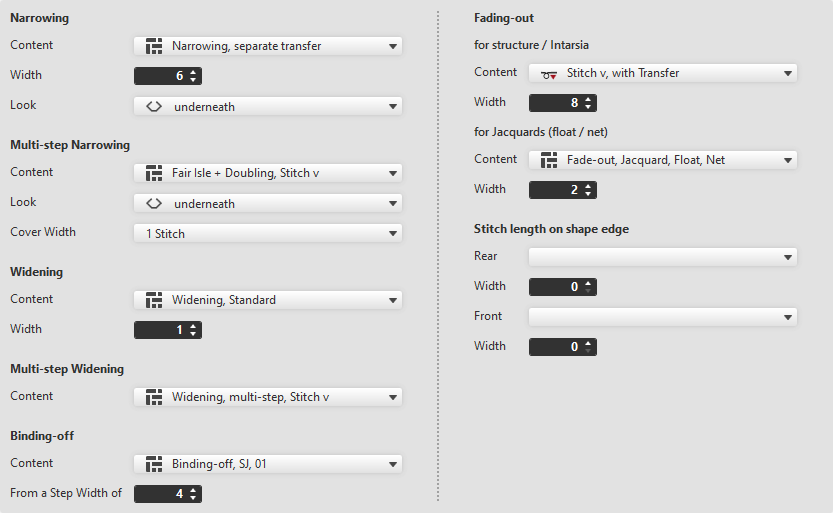
Make the following settings in the Valeurs prédéfinies par défaut section:
 By drag-and-drop is available to select the module.
Diminuer
|
Contenu |
Select narrowing module from the offered options or directly from the Knit Explorer. | |
|
Largeur |
Set the width of the narrowing. | |
|
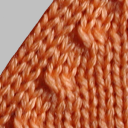
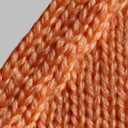
Aspect |
Select the look for narrowing. | |
|
en dessous |
au-dessus | |


Diminution à plusieurs niveaux
|
Contenu |
Select the module for multi-step narrowing. |
|
Aspect |
Select the look. |
|
Largeur de rapprochement |
Enter cover width. |
Augmenter
|
Contenu |
Select widening module. |
|
Largeur |
Enter width of the widening module. |

Augmentation à escaliers
|
Contenu |
Select the module for multi-step widening. |
Chaînette
|
Contenu |
Select module for the binding-off. |
|
À partir de la largeur de gradation |
Enter the minimum step width requiring binding-off. |

Masquer
The fading-out can be configured differently for Structure / Intarsia and Jacquard.
pour structure / intarsia
|
Contenu |
Select module for fading-out with Structure and Intarsia. |
|
Largeur |
Enter the width for fading-out. |

Pour Jacquards (flottage / réseau)
|
Contenu |
Select module for fading-out with Jacquards. |
|
Largeur |
Enter the width for fading-out. |
Longueur de la maille au bord de la forme
|
Derrière |
Select the stitch length (NP value) for the rear needle bed. |
|
Largeur |
Enter the width of the deviated stitch length in the rear of the shape edge. |
|
Devant |
Select the stitch length (NP value) for the front needle bed. |
|
Largeur |
Enter the width of the deviated stitch length in the front of the shape edge. |
