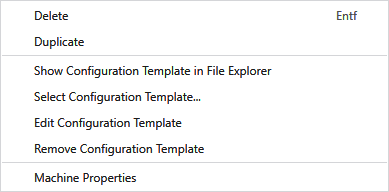
Context menu of a private machine
Make the following settings in the context menu of the entries under propre:
|
Supprimer |
Delete the entry of the private machine from the database. |
|
Dupliquer |
Duplicate the entry of the private machine. |
|
Display Configuration Template in File Explorer |
Shows the assigned configuration template of the private machine in the file explorer. |
|
Select Configuration Template... |
Opens the file explorer to select a configuration template. The selected configuration template is added to the machine. |
|
Edit Configuration Template |
Opens the already added configuration template in the template editor to edit it. |
|
Remove Configuration Template |
Remove the added configuration template from the machine. |
|
Caractéristiques |
Opens the Caractéristiques de machines dialog box. |