Multi-step Widening
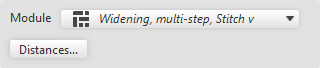
When selecting Augmentation à escaliers, the following dialog box appears:
|
Content |
Select module for Augmentation à escaliers.
|
|
Distances... |
Opens the Distances de la ligne dialog box |


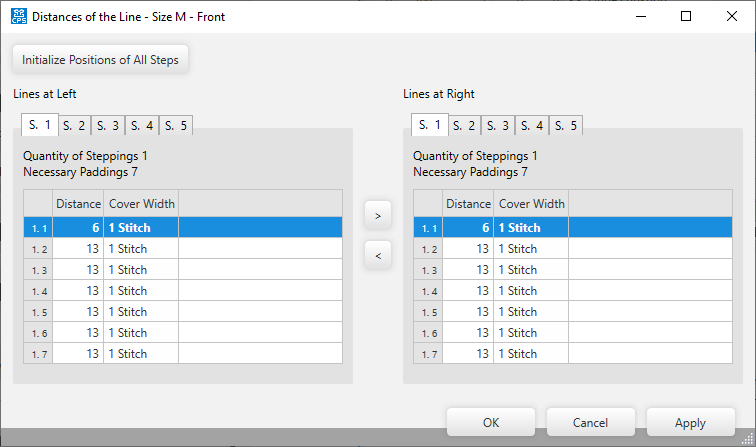
Make the following settings in the Distances de la ligne dialog box:
|
Initialiser les positions de tous les escaliers |
Initializes the positions of the steps. |
|
Lignes gauches |
Settings of the left lines for multi-step narrowing. |
|
Lignes droites |
Settings of the right lines for multi-step narrowing. |
|
S. 1 / S. 2 / S. 3 / S. 4 / S. 5 |
Select sub-line to View or Edit |
|
Nombre d'escaliers |
Shows the quantity of steps of the selected sub-line. |
|
Distances nécessaires |
Shows the needed distances of the selected sub-line. |
|
First column |
Numbering of the entries. |
|
Distance |
Shows the distances between the markings. |
|
Largeur de rapprochement |
Shows the cover width of each marking. |