Context menu in the header
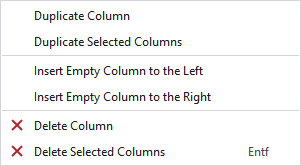
Make the following settings in the context menu of the header of the editing area:
|
Dupliquer la colonne |
Duplicated the column under the cursor. |
|
Dupliquer les colonnes sélectionnées |
Duplicates the selected column. |
|
Insérer colonne vide à gauche |
Adds an empty row at the left of the clicked column. |
|
Insérer colonne vide à droite |
Adds an empty row at the right of the clicked column. |
|
|
Deletes the column at the cursor position. |
|
|
Deletes all the selected columns. |
