Parameter Dialog Box
In the Parameter dialog box you make the following settings for the image of the scanned yarn:
 The changes to the settings become visible in real time in the following areas:
- in the preview of the Parameter dialog box
- in the fabric view of the Yarn Properties dialog box
- in the fabric view of the pattern
Yarnscan without settings: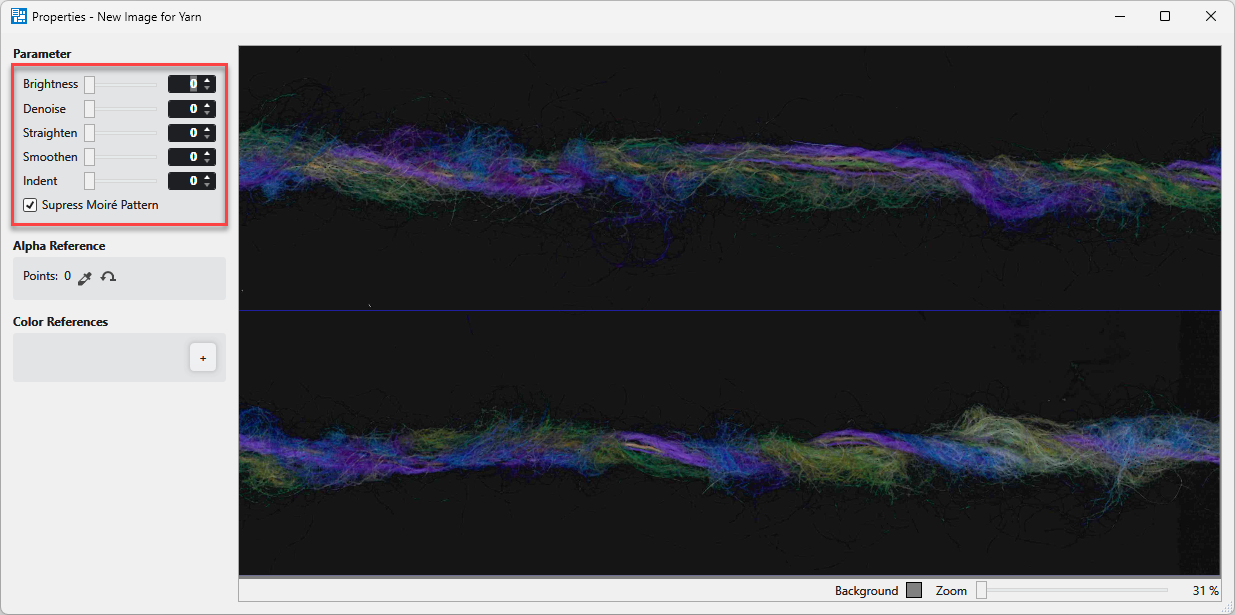
Yarnscan after setting the parameter: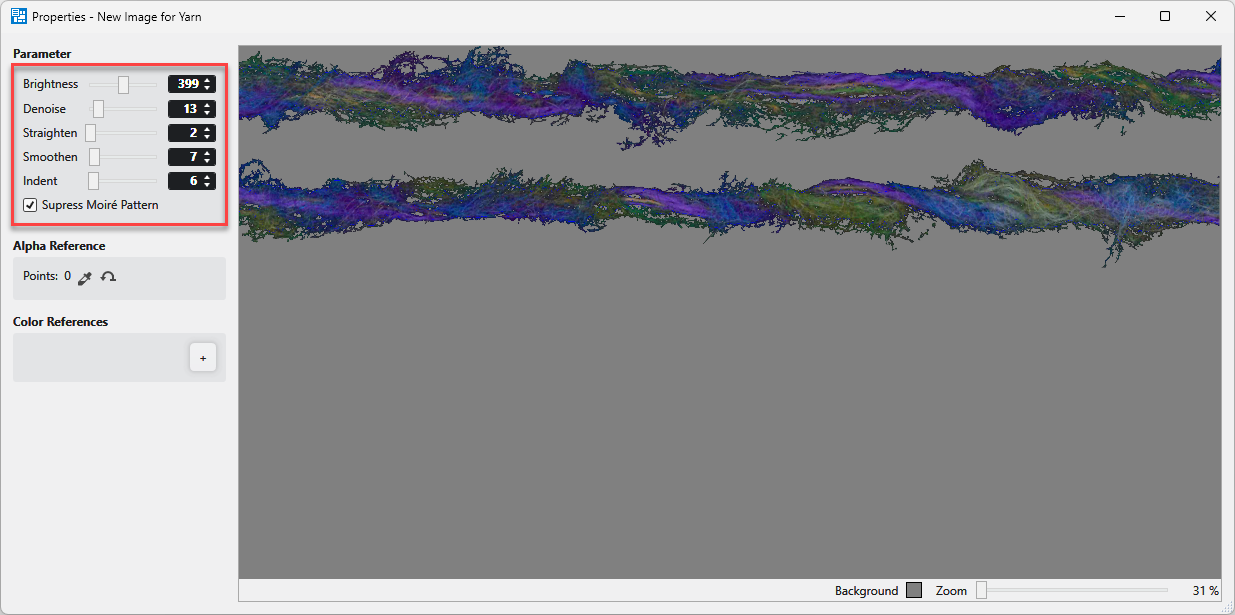
Paramètre
|
Luminosité |
Make settings for the brightness. |
|
Réduction du bruit |
Make settings for the noise suppression. |
|
tirer droit
|
Straighten the view of the yarn. |
|
Lissage
|
Smooth out the thread delimitation of the view. |
|
Retrait |
Narrow the thread delimitation of the view. |
|
|
In the fabric view it is possible to get moiré patterns with a low zoom.
|


 Since it is a visual presentation, it is recommended to simply adjust the parameter until you get the desired view. Make the settings of the parameters in order from top to bottom if possible and then readjust as necessary.
General settings at the right buttom:
|
Background |
Set the background color. |
|
Zoom |
Define the zoom of the view. |