Properties of the module
Make the following settings in the Caractéristiques dialog box of the module:
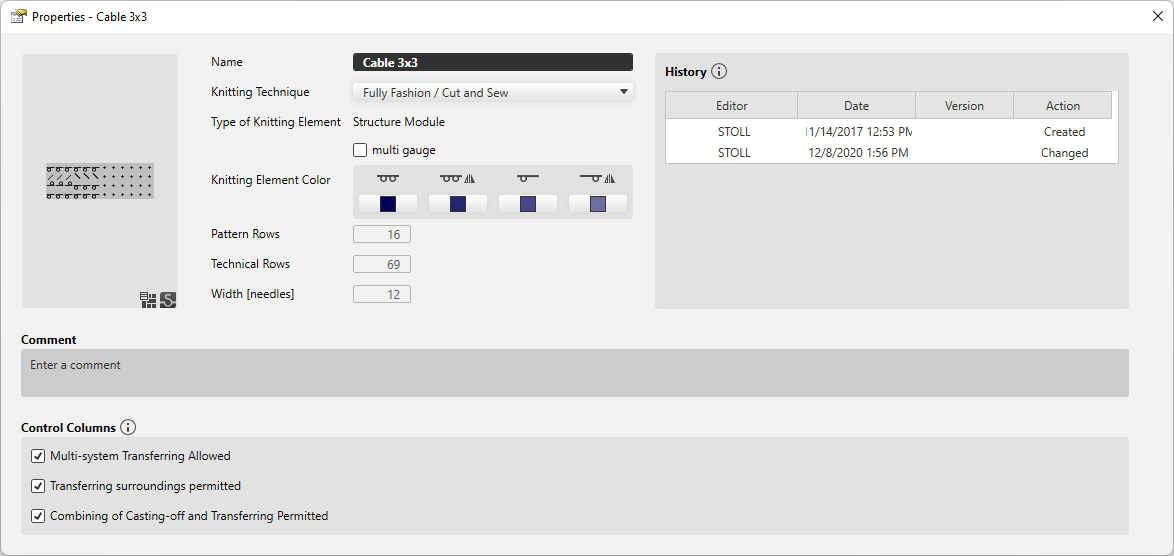
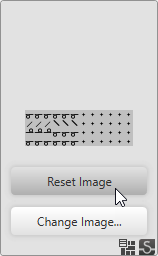
If you pass over the thumbnail with the mouse the following buttons appear:
|
Réinitialiser l'image |
Resets the image to the last status. |
|
Autre image... |
Opens the Explorer where a new image file for the thumbnail can be selected and loaded. |
|
Nom |
Enter the designation of the knitting element. |
|
Technique de tricotage |
Select knitting technique for which this knitting element can be used. |
|
Type d'élément de tricotage |
Displays the knitting element type. The knitting element type points to the use. Specific situations only allow specific knitting element types. |
|
Sous-type d'élément de tricotage |
Select knitting element sub-type.
|
|
|
This knitting element is a multi gauge module. |
|
Couleur d'élément de tricotage |
The available variants are displayed.
Toutes les aiguilles A color can be selected for every variant. |
|
Rangées de dessin |
Height of the knitting element by Rangées de dessin. |
|
Rangées techniques |
Height of the knitting element by Rangées techniques. |
|
Largeur [aiguilles] |
Shows the width of the knitting element by needles. |


 The selection is available only for technical and Jacquard modules. Both technical as well as Jacquard modules contain various variants that are offered in the sub-types.
|
Historique |
Entrées dans l'historique La création et les quatre dernières modifications sont listées dans l'historique. |
|
Commentaire |
Enter a comment about the knitting element. |
|
Colonnes de commande |
Options pour les colonnes de commande Les options non autorisées empêchent la fonction correspondante dans les colonnes de commande dans la zone de cet élément de tricotage. |
|
|
1x1 transfer is allowed inside of the knitting element. |
|
|
Surroundings transfer is allowed inside of the knitting element. |
|
|
Cast off and transfer can be combined inside of the knitting element. |