Pattern Tool Window
Dessin
Accueil tab -> Fenêtre Outils -> Dessin
In the Dessin tool window you create and manage patterns, orders and groups of a pattern project.
|
Dessin |
Groupes |
Ordres |
|
|
|
|
Groups and Orders
Only patterns for a common machine type can be created in a pattern project.
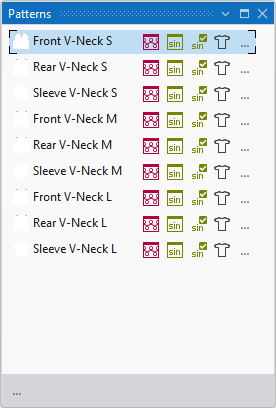
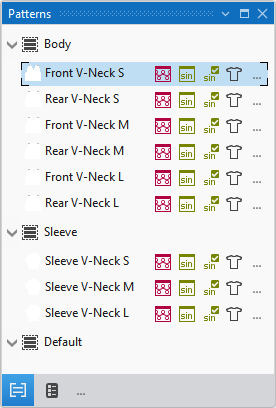
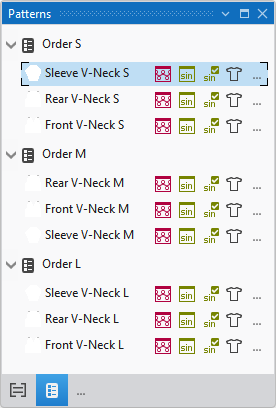
You have three alternatives for the management of the patterns within a pattern project.
|
Working only with patterns |
Work without groups if you work with only a few patterns in a pattern project. If the patterns have different yarn carrier home positions, it is not possible to work with orders. In this case only work with patterns. |
|
|
Combine the patterns in a pattern project in groups when you are working with many patterns. Apart from the yarn carrier home position, you can group related patterns and as a result you get a better overview of the entire project.
|
|
|
Orders form the basis of the production at the machine. Work with orders, if you want to knit patterns with common yarn carrier home position in established series. |
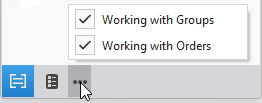
Click on the  symbol to switch the work with groups and orders on and off.
If the work with groups and orders is switched on you can switch between  Vue de groupe and
  Vue de l'ordre.
In the Dessin tool window you create new orders, groups or patterns using the following context menu:
You make the following settings in the context menu on the group:
You make the following settings in the context menu on the order:
Pattern Item
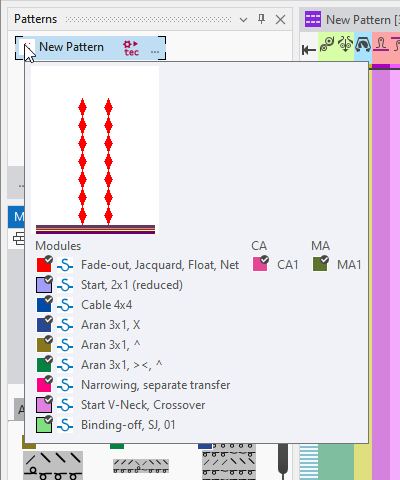
In the tool tip of the pattern name appears a preview of the pattern and a list of the modules, CAs and MAs that are applied in this pattern.
Beside the pattern name appear different icons.
Using the pattern entry (pattern names and icons) you have access to different settings and features.