r-curve
How to define a r-curve in the raglan shape type, in the armhole narrowing at the body:
- The dimensioned shape is opened in the Dimensioning View
 .
. - The startpoint and endpoint of the Narrowing of Armhole are dimensioned horizontally and vertically.
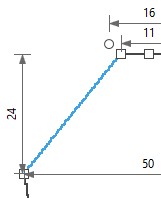
- 1
- Open the context menu for the left diagonal shape line of the armhole narrowing at the rear.

- 2
- Select the

- The Line Properties tool window appears.
- 3
- Activate
 Show Line View.
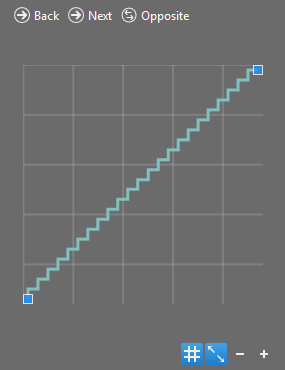
- The selected shape line appears in the line view.
- 4
- Go to the Stepping Parameters group box.
- 5
- Select the
 r-curve option in the Stepping Kind
  list box.
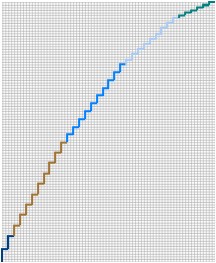
- The line view updates.
- 6
- Keep the value 0 in the Min. Step Height
 edit box.
- 7
- Select the value 2 in the Step Width edit box
- 8
- Keep the undefined option in the Stepping in the Height list box.
- 9
- Select the value 2 in the Min. Height at the End of Line edit box.
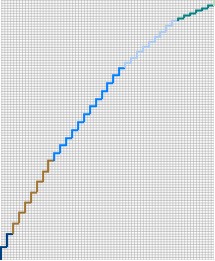
- The line view updates.
- 10
- Activate the Binding-off at Line Foot check box.
- The Line Width by Stitches
 edit box appears enabled.
 - 11
- Select the value 6 in the Line Width by Stitches edit box.
- The line view updates.
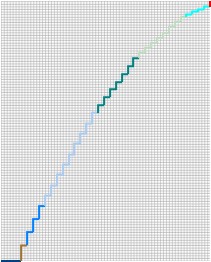
- The Binding-off entry appears in the Function column of the line S. 1.
- The steppings in the narrowing of armhole form an r-curve.
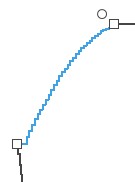
- Module, width and look of the narrowing from the default settings are assigned in the sub-rows with the Narrowing function.
 How to change the narrowing settings