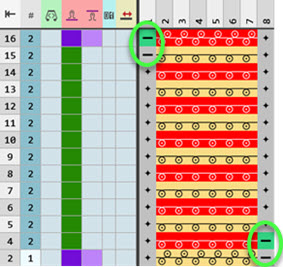
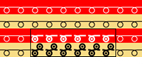
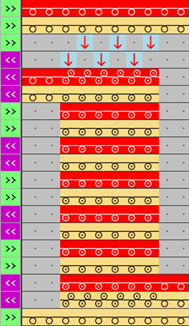
Example: Structure module with connecting points without repetition
Properties:
- A knitting-in and knitting-out row in the knitting element is defined by a connection point.
- A connecting point integrates the design row of the knitting element in to the design pattern.
- A knitting element may have one or more connecting points.
- Quantity of technical rows
- Even-numbered: Knitting-in and knitting-out on the same side
- Odd-numbered: Knitting-in and knitting-out on the opposite side
- Technical Rows
- Without entry of carriage direction = stroke independent
 : The structure module with connecting point can be (mirrored) for both stroke directions.
 - With entry of carriage direction = stroke dependent: The structure module with connecting point is stroke dependent and therefore cannot be (mirrored) for the other carriage direction.
Create structure module with connecting points without repetition:
- 1
- Open the Nuovo elemento di lavoro dialog box with
 Nuovo elemento di lavoro.
- or -
In the Elementi di lavoro tool window / select Creazione di un nuovo modulo.
 - 2
- Make the following settings:
- Tecnica di lavoro a maglia
- Tutti gli aghi
- Tipo di elemento di lavoro :
- Modulo struttura
- Elementi di riempimento
- No yarn color / magazine color or yarn carrier color
- No Needle Action
- Dimensione [maglie]
- Larghezza : fix width
- Altezza : even-numbered or odd-numbered
- 3
- Close the dialog box with OK.
- The Knitting Element Editor is opened.
- 4
- Select the Azioni dell'ago / colori tab.
- 5
- In the drawing canvas, in the technical rows, draw the desired structure with the knitting needle action.
- The design rows are generated automatically and not displayed.
- 6
- If necessary, select a color for drawing.
-
Without color:
No allocation of a yarn carrier, i.e. color of the design pattern is used -
With color:
allocation of a yarn carrier, i.e. the used color is applied to the design pattern.: If desired, adapt this design row to the color of the structure module.
- 7
- Insert an empty column on the left and right side of the structure.
- The columns don't have any needle action.
- 8
- Overwrite these columns with
 Trasparente.
 - 9
- Select the Sistema di controllo tab.
- 10
- Select the
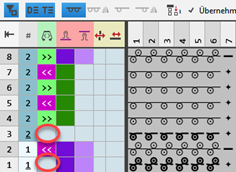
 icon and draw it into the technical rows of knitting in and out.
Simboli relativi all'ago in ranghi di esecuzione section -> Attributo di collegamento: Not into the design rows! - 11
- If desired, allocate any desired color to the icon of the Colori di definizione section.: No effect on the development, only for a better overview.
- 12
- Enter the desired control column data in the technical rows:
- Stitch Length
- Fabric Take-down
- Cycle
- Carriage Direction
-
No entry of a carriage direction:
The knitting element is independent of the carriage stroke and can be entered on any desired pattern row of the Disegno design. -
Entry of a carriage direction:
The knitting element depends on the carriage stroke and can must be entered on the corresponding pattern row of the Disegno design.: All technical rows must have a preset carriage direction. - etc.
-
Design Rows: Enable the
 Colonne di comando button to apply the control column data from the technical rows to the design rows.
- 13
- Select technical rows for grouping.
- 14
- Group the selected rows with the CTRL + G keys.
- 15
- Check the knitting element with
 Controlla regarding correct entries in the knitting element.
 - 16
- If necessary, in case of a knitting element already used in the design pattern, apply the changes to the basic pattern with the
 Applica button.
 - 17
- Close the Nuovo elemento di lavoro tool window with
 .
.
- The knitting element is saved.
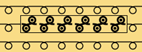
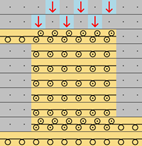
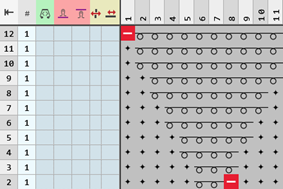
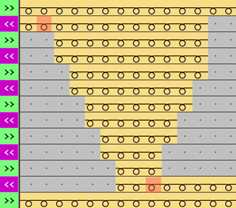
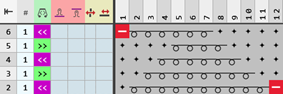
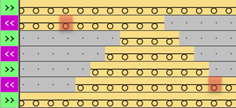
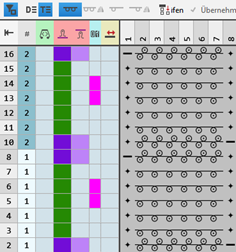
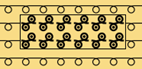
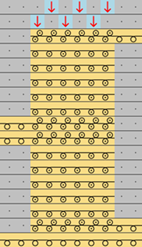
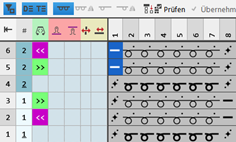
Examples for knitting element with a connecting point
|
Odd-numbered quantity of technical rows in height | |||
|
Example 1 |
| ||
|
|
| ||
|
|
| ||
|
Example 2 |
| ||
|
|
| ||
|
Example 3 |
| ||
|
|
| ||
|
Example 4 |
| ||
|
|
| ||
|
| |||
|
Even-numbered quantity of technical rows in height | |||
|
Example 1 |
| ||
|
|
| ||
|
Example 2 |
| ||
|
|
| ||
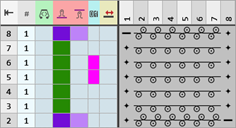


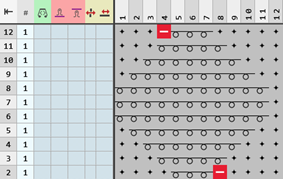

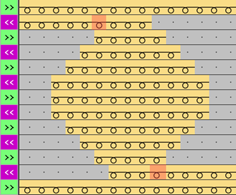
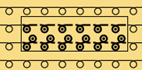
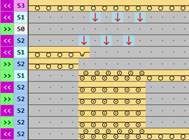
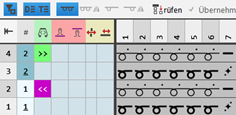
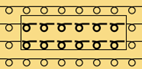
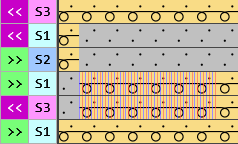
Example for knitting element with one or more connecting points
|
Odd-numbered quantity of technical rows in height for each connecting point | ||
|
Example 1 |
| |
|
|
| |
|
| ||
|
Even-numbered quantity of technical rows in height for each connecting point | ||
|
Example 1 |
| |
|
|
| |
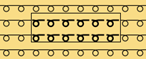
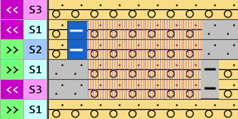
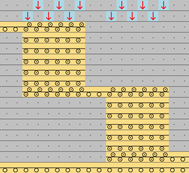
Examples for knitting element with nested connecting points
|
Odd-numbered quantity of technical rows in height for each nested connecting point | ||
|
Example 1 |
| |
|
|
| |