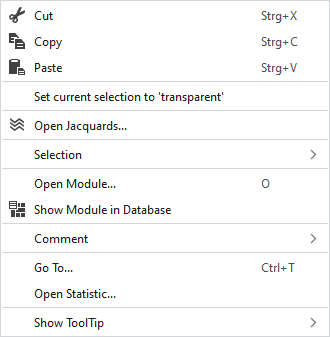
Context Menu of Pattern Elements
|
|
Elimina il contenuto della selezione e lo copia negli appunti. | |
|
|
Copia il contenuto della selezione negli appunti e lo applica al cursore (attributi del cursore). | |
|
|
Applica il contenuto degli appunti al cursore (attributi del cursore). | |
|
Imposta selezione corrente come 'trasparente' |
Sets the selected area in the pattern element to transparent. | |
|
|
Opens the Jacquard at the cursor position in the Jacquard table. | |
|
Selezione |
Crea Jacquard... |
I. Generate a Jacquard area in the selected area. Opens the Crea Jacquard dialog box. |
|
Select |
The functions of the menu bar Selezione are also available in the context menu. | |
|
Protezione |
A selection can be protected from interventions. | |
|
Apri modulo… |
Opens the module at the cursor position. | |
|
|
Shows the module at the cursor position in the Module Explorer. | |
|
Commento |
Place a pin, comment, or graphic anywhere in the pattern. | |
|
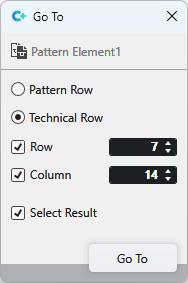
Vai a... |
Select Enter
| |
|
Apri statistica |
Open the Statistica dialog box. | |
|
Mostra descrizione comandi |
|
Activates the tooltip in the needle area. |
|
|
Activates the tooltip in the needle area, as well as a preview of the modules. | |
|
|
Activates the tooltip in the control columns. | |
|
|
Activates the tooltip in the control columns as well as a preview of CA and MA. | |
|
|
The coordinates of the drawing are shown when drawing. | |


 and
and