Pattern Item
Beside the entry in the Disegno tool window appear different icons depending on the processing status.
Run the following functions via these icons:
|
|
Double-clicking on the pattern name opens the pattern. |
|
|
Avviare l'elaborazione tecnica (doppio clic) |
|
|
Mostra vista dei simboli dopo tecnica (doppio clic) |
|
|
Genera programma di lavorazione (doppio clic) |
|
|
Mostra programma di lavorazione (Sintral) (doppio clic) Crea programma di lavorazione (Ctrl + doppio clic) |
|
|
Avvio di controllo Sintral per il programma di lavorazione creato (doppio clic) |
|
|
Sintral check is already processed. Restart Sintral Check for generated knitting program by double-clicking. |
|
|
A shape is positioned on the pattern. Open shape by double-clicking. |
|
|
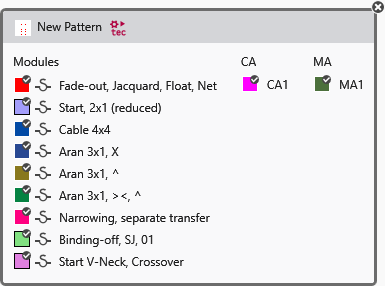
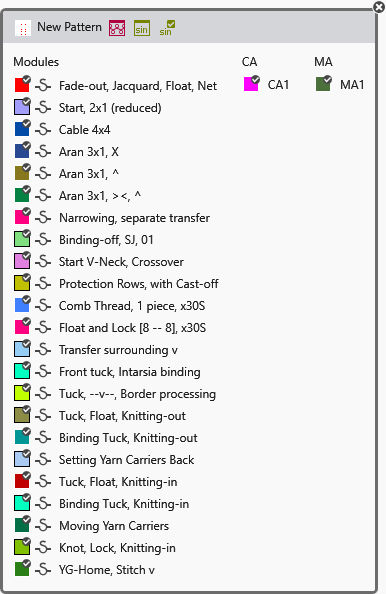
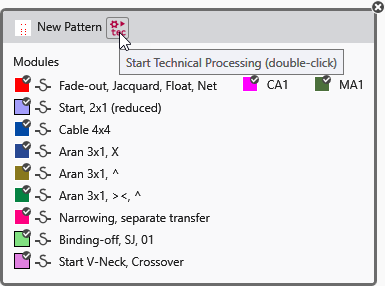
Opens a dialog box where all modules, CAs and MAs that are used in the pattern are displayed. It is opened with a double-click on a knitting element.
The icons for Elaborazione tecnica, Crea programma di lavorazione and Controllo Sintral appear in the header depending on the processing status.
The feature of the icons of the header is the same as in the pattern entry.
To close the window again, click on the cross at the top right corner. |



In addition to these icons the following icons can be represented overlapping (for example with the symbol view after processing):
|
|
The symbol view after processing was edited. |
|
|
The symbol view after processing is out of date. |
|
|
The symbol view after processing was edited and is out of date. |
|
|
The technical processing was canceled due to error. |


