Usage of Polyline

Draw with or without attributes

  • If you selected cursor attributes, they will be applied to the pattern when drawing.
  • If you did not select any cursor attributes, the area will be selected.
    The selected area is available for further editing.

Edit options while drawing

  • You can edit the options while drawing.

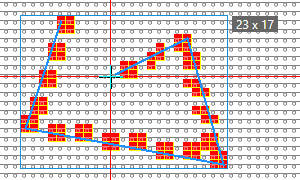
Draw an outlined closed polyline with user defined line

  • Select Polilinea .
    chiusa e non riempita
  • Enter a Spessore di linea value (e.g. 1).
  • Set the Interspazio to 0 (zero).
  • Select the Personalizzato option.
  • Set the value for Larghezza: (e.g. Fissa = 3) and Altezza: (e.g. Fissa = 2).
  • Draw the Polilinea (with yarn color red e.g.)
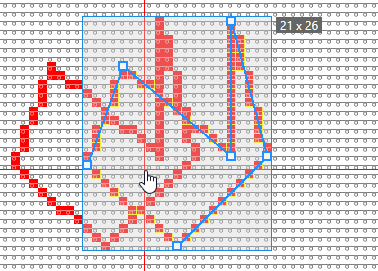
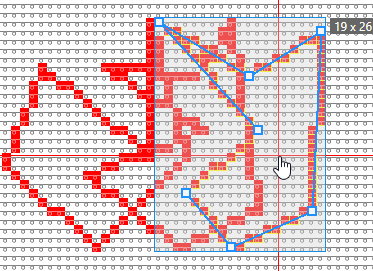
    Width x height of the entire polyline appears in the tooltip.

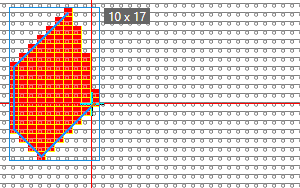
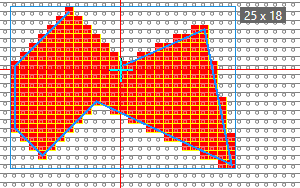
Draw a filled closed polyline with 45º and step angle
Edit the options while drawing

  • Select Polilinea .
    chiusa e riempita
  • Enter a Spessore di linea value (e.g. 1).
  • Set the Interspazio to 0 (zero).
  • Select the 45° option.
  • Draw drawing.

  • Switch to the Angolo a grandini option.
  • Draw the rest of the Polilinea (with yarn color red e.g.).
    Width x height of the entire polyline appears in the tooltip.

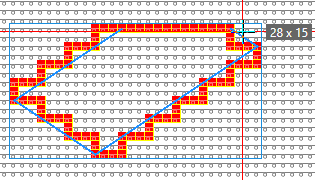
Draw an open polyline

  • Select Polilinea .
    aperta e non riempita
  • Enter a Spessore di linea value (e.g. 2).
  • Set the value for Tratto (e.g. 2) and Interspazio (e.g. 1).
  • Select the libero option.
  • Draw the Polilinea (with yarn color red e.g.)
    Width x height of the entire polyline appears in the tooltip.

Draw a polyline with Echo Mode

  • Select Polilinea .
    chiusa e non riempita
  • Enter a Spessore di linea value (e.g. 1).
  • Set the Interspazio to 0 (zero).
  • Select the Angolo a grandini option.
  • Select Esecuzione di disegno nella modalità eco.
  • Draw the Polilinea (with yarn color red e.g.)
    After the second click, the echo with the handles appears.
  • Each line of the polyline receives handles, so that you can change the lines individually.

  • Apply the polyline to the pattern by ENTER.
    A new polyline appears with handles for moving and changing.
  • You can repeat the procedure as often as desired.