Comments
Commenti
Avvio tab -> Finestre degli strumenti -> Commenti
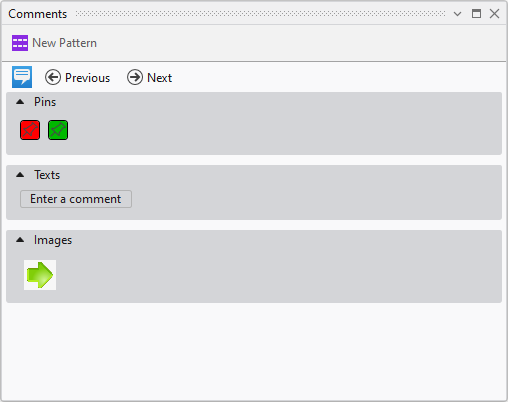
In the Commenti dialog box are displayed all the previously in the pattern created comments.
|
|
Display and hide comments |
|
|
Go to the previous comment |
|
|
Go to the next comment |
|
Spille |
Displays the pins set in the pattern. |
|
Testi |
Displays the text comments entered in the pattern. |
|
Immagini |
Displays the image comments inserted in the pattern. |


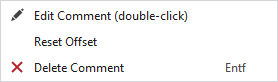
You make the following settings in the context menu on the comments:
|
|
Edit comment (only available with text comments) |
|
Azzera offset |
Reset offset of the comment in the pattern |
|
|
Delete the comment |

