|
Máquina
|
- As desired
- Example for CMS 530 HP, E3,5.2 (classification 656)
|
|
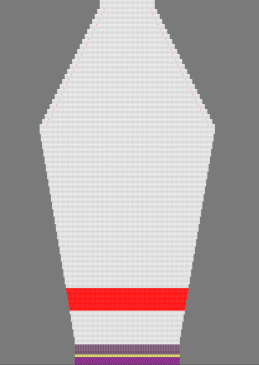
|
-
Técnica de tricotagem
-
Elementos de preenchimento
- Any yarn color
-
Malha à frente com transferência
-
Começo
-
Começo, 1x1
:
-
1 sistema
-
Sem fio elástico
-
Com fio de proteção
-
Fileira solta
|
|
Projecto de amostra
|
Pattern-1.spf
|
|
Projecto de corte de linhas
|
Shape_Sleeve.slsf
|
|
|
-
Ferramentas de desenho:
-
 Linha a mão livre Linha a mão livre -
 Linha Linha -
 Retângulo Retângulo
-
Draw with
Cores da amostra :
-
Alterar :
-
 Inserir fileiras or Inserir fileiras or  Eliminar fileira Eliminar fileira
-
 Inserir colunas or Inserir colunas or  Eliminar coluna Eliminar coluna
-
Configure the display of control columns
- Configure the display of control columns
- Save the display of control columns
-
Changes within Control Columns
- Stitch Length (NP)
- Fabric Take-down (WMF / WM)
- Carriage Speed (MSEC)
-
Tool Window
 Cortes Cortes - Position Shape
- Position Shape on New Pattern
- Remove Shape from Design Pattern
-
Tool Window
 Guia-fios -> Guia-fios ->  Exibir guia-fios Exibir guia-fios - Combine yarn carriers and reset combination
- Allocate the yarn carriers to the rails
|
|
|
- Create a pattern project with one pattern.
- Generate design pattern (basic pattern).
- Draw-in colored stripes.
- Machine parameters: Modify NP, WM, MSEC in the colored stripe.
- Import and position shape on the basic pattern.
- Working with yarn carriers
- Start Technical Processing.
- Generate knitting program (Sintral, Jacquard, Setup).
- Run the Sintral Check.
- Set up the knitting program on the machine.
|