Function call (F:)
|
|
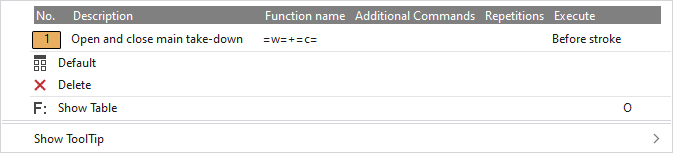
Make settings for the function calls. You can select data from the default entries or create and insert your own functions. |

In the context menu you have the following options:
|
|
Select the function. The entries that are used in the pattern and those that are marked in the Ativação de funções (F:)tool window with |
|
|
Sets the setting on Default.
|
|
|
Deletes the entry. |
|
|
Opens the tool window Ativação de funções (F:). There you can select further entries and make settings. |
|
Exibir descrição
|


 Applies the entry of the default setting from the header row.

