Change Pattern Size
Make the following settings in the Alterar tamanho da amostra dialog box:
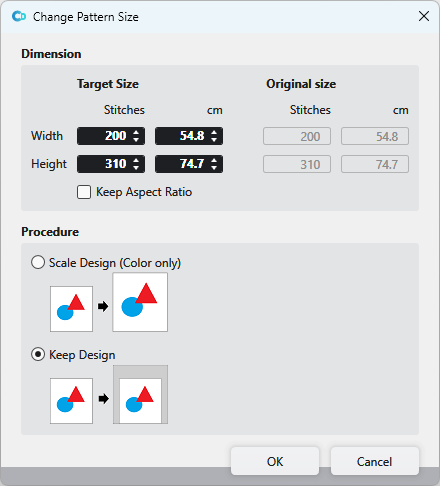
Dimensão
|
Tamanho de destino |
Enter the desired size of the pattern in Malhas or cm.
Largura
Altura |
|
|
When a value is modified, all others are adjusted according to the aspect ratio. |
|
Tamanho original |
Shows the original size of the pattern in Malhas and cm. |


Procedimento
|
|
The design is resized in the same aspect ratio as the pattern. |
|
|
The size and shape of the design will be kept. |
