Prepare the Color Sequence
Create a new row with three sub-rows in the Knitting Ranges table.
One sub-row for each colored stripe.
|
Description |
Yarn Color |
Filling Element |
|
Quantity |
|
|---|---|---|---|---|---|
|
Colored Stripe |
|
|
|
2 |
|
|
Stripe 1 |
|
|
|
10 |
|
|
Stripe 2 |
|
|
|
6 |
|
|
Stripe 3 |
|
|
|
2 |
|


- 1
- In the Parameter ribbon select the
 symbol.
 - The Knitting Ranges tool window appears.
- 2
- Enter the text Colored Stripes in the Description column of the first row.
- 3
- Open the context menu for the row number.
- 4
- Select .
- A sub-row appears.
- 5
- Go to the sub-row.
- 6
- Enter the text Stripe 1 in the Description column.
- 7
- Select the yarn color 3 in the
 column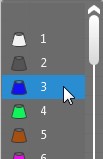
- 8
- Do not select a needle action in the Filling Element
 column.
 - The default filling element of the pattern (Stitch v, with transfer) will be used.
- 9
- Activate the check box in the
 Round to Courses column.
 - 10
- Enter the value 10 in the Quantity column.
- The calculated height of the first stripe by stitches appears in the
 Stitches column.
 - 11
- Do not select a stitch density in the
 column.
 - The Basic Stitch Density will be used.
- 12
- Go to the main row.
- 13
- Open the context menu for the row number.
- 14
- Select .
- A second sub-row appears.
- 15
- Go to the new sub-row.
- 16
- Enter the text Stripe 2 in the Description column.
- 17
- Select the yarn color 4 in the column.
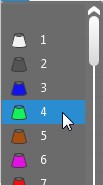
- 18
- Select the Stitch v, with Transfer needle action in the Filling Element column.
- 19
- Activate the check box in the Round to Courses column.
- 20
- Enter the value 6 in the Quantity column.
- The calculated height of the second stripe by stitches appears in the Stitches column.
- 21
- Select the basic stitch density in the column.
- The calculated height appears in cm in the cm column.
- 22
- Go to the main row.
- 23
- Open the context menu for the row number.
- 24
- Select .
- A third sub-row appears.
- 25
- Go to the new sub-row.
- 26
- Enter the text Stripe 3 in the Description column.
- 27
- Select the 5 yarn color in the column.
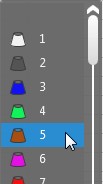
- 28
- Activate the check box in the Round to Courses column.
- 29
- Enter the value 2 in the Quantity column.
- The calculated height of the third stripe by stitches appears in the Stitches column.
- 30
- Go to the main row.
- 31
- Enter the value 2 as number of repeats for the entire stripe area in the Quantity column.
- The calculated height of the entire stripe area by stitches appears in the Stitches column.
- The calculated height of the entire stripe area by cm appears in the cm column.