Start
Başlangıç Section
|
|
Opens the Knit Explorer. Select the module for the start. |
|
|
Select the path from the Knit Explorer. directly. Click on the arrow |
|
|
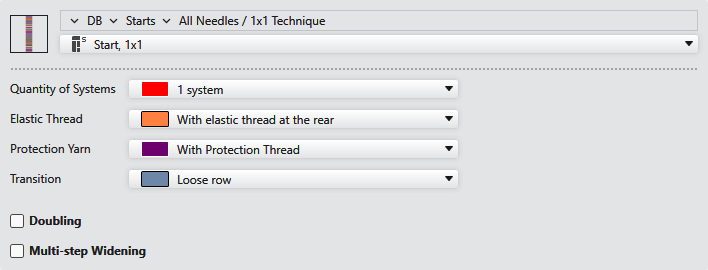
Select module for the start.
|
|
Sistem sayısı
|
Select system number for the starting cycle. |
|
Elastomer iplik
|
Select a setting for the elastic thread. |
|
Koruma ipliği
|
Select a setting for the protection thread. |
|
Geçiş
|
Select a setting for the transition. |
|
|
For a start with start, repetition and end columns, set whether they should be considered when inserted into the pattern.
|
|
|
Knit the start with excess width. When the checkbox is active, the start is knitted with excess width and afterwards it is narrowed to the pattern width with multi-step narrowing. |
|
|
Knit the start narrower. When the checkbox is active, the start is knitted narrower and afterwards it is widened to the pattern width with multi-step widening. |





 Only for start modules from the folder