Border Processing for Intarsia Jacquard
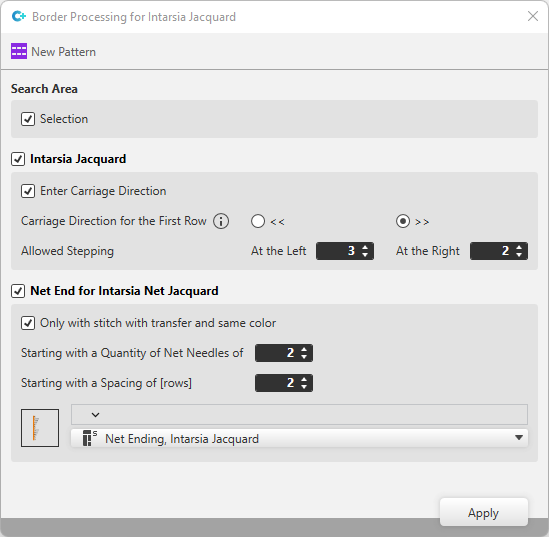
Make the following settings in the İntarsiya jakar için kenar işlemesi dialog box:
|
Arama alanı |
Specify search area in which the settings should be effective.
|
|
|
Make settings for the Intarsia-Jacquard. |
|
|
The defined carriage direction is entered into the pattern while applying. |
|
Birinci sıranın semer yönü |
Select the carriage direction for the first row of the Intarsia-Jacquard. The carriage direction only has an effect on the rows for which no carriage direction is set within the control column.
|
|
Geçerli basamak |
Enter the allowed stepping for left and right in the Intarsia pattern.
Solda
Sağda
|
|
|
Make settings for the Net end by Intarsia Net Jacquard. |
|
|
The module is only inserted with stitch with transfer and same color. |
|
Şu file iğnesi sayısından itibaren
|
Enter the minimum number of net needles, after which the modules are inserted. |
|
[sıra] boşluktan itibaren
|
Enter the minimum number of rows, that may be in the intermediate spacing, after which the modules are inserted. |
|
|
Select module for the net ending. |

 << Carriage moves towards left.
