Context Menu on the Processing Area of CA
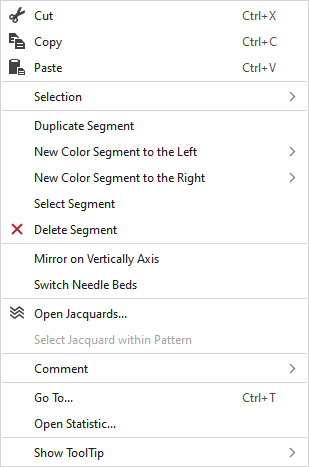
You make the following settings in the context menu on the processing area:
|
|
Seçimin içeriğini siler ve panoya kopyalar. | |
|
|
Seçimin içeriğini panoya kopyalar. | |
|
|
Kopyalanan veya kesilen öğeleri seçilen konuma yapıştırır. | |
|
Seçim |
Select |
The functions of the menu bar Seçim are also available in the context menu. |
|
Koru |
A selection can be protected from interventions. | |
|
Bölümü çoğalt |
Duplicates the segment at the cursor position. | |
|
Yeni renk bölümü sol |
Adds a new color segment to the left of the cursor position.
| |
|
Yeni renk bölümü sağ |
Adds a new color segment to the right of the cursor position.
| |
|
Bölümü seç |
Selects the segment at the cursor position. | |
|
|
Deletes the segment at the cursor position. | |
|
Dikey eksen üzerinde yansıt |
Mirrors the CA at the vertical axis.
| |
|
İğne yataklarını değiştir |
Exchanges the two needle beds.
| |
|
|
Opens the tool window Jakarlar and shows in it the Jacquard of the cursor position. | |
|
Desendeki jakarı seç |
Selects the Jacquard in the pattern. | |
|
Yorum |
Position a pin, a comment or a graphic on any point. | |
|
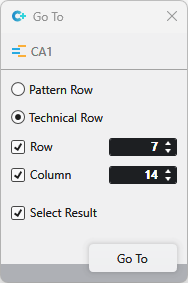
Git... |
Select Enter
| |
|
Open Statistics |
Open the Statistics dialog box. | |
|
HızlıBilgi göster |
|
Activates the tooltip in the needle area. |
|
|
Activates the tooltip in the control columns. | |
|
|
The coordinates of the drawing are shown when drawing. | |


 and
and