Context menu on the modules
|
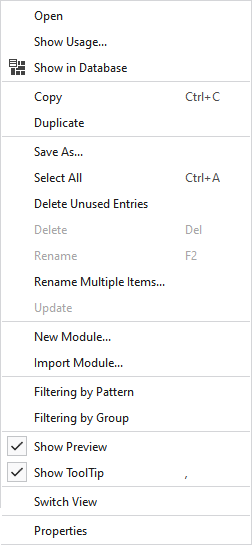
Aç |
Opens the module. |
|
Kullanımları göster... |
Displays the files of the pattern project where the module is used. |
|
|
Displays the module in the Knit Explorer. |
|
Kopyala |
Copies the module. |
|
Yapıştır |
Pastes the copied module. |
|
Çoğalt |
Duplicates the module. |
|
Farklı Kaydet... |
Saves the module in any folder. |
|
Hepsini seç |
Selects all modules. |
|
Kullanılmayan girdileri sil |
Deletes all modules that are not used. |
|
Sil |
Deletes this module. |
|
Yeniden Adlandır |
Rename this module. |
|
Rename Multiple Items... |
Opens the Rename Multiple Items dialog box. |
|
Güncelleştir |
If the module was changed in the database then this selection is available. Click on Güncelleştir to apply the new version of the module to the pattern. |
|
Yeni modül... |
Creates a new knitting element for this pattern project. |
|
Modülü içe aktar... |
Imports a module from any folder. |
|
|
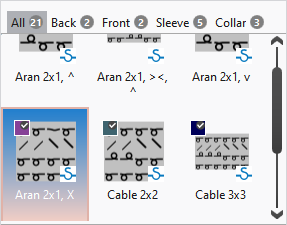
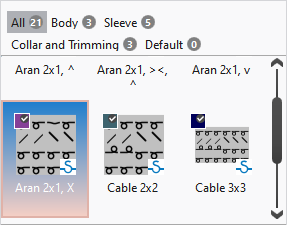
With an active filter, the pattern names of the project appear above the modules. Beside each name appears the quantity of modules that are contained in the pattern. By clicking on the pattern name only the modules applied in the pattern are displayed. By clicking on Tümü all modules of the project are displayed.
|
|
|
With an active filter, the groups that are defined in the Desen tool window appear above the modules. Beside each group appears the quantity of modules that are contained in the group. By clicking on the group only the modules applied in the group are displayed. By clicking on Tümü all modules of the project are displayed.
|
|
|
In the tooltip on the module appears the preview of the module. |
|
|
In the tooltip on the module appears the Quickinfo of the module. |
|
Görünüm değiştir |
Switches the view of the modules between tiles and list. |
|
Özellikler |
Opens the Özellikler dialog box of the module. |

 Only possible in the context menu on an empty area beside the modules.