Default Settings
Varsayılan ayarlar Section
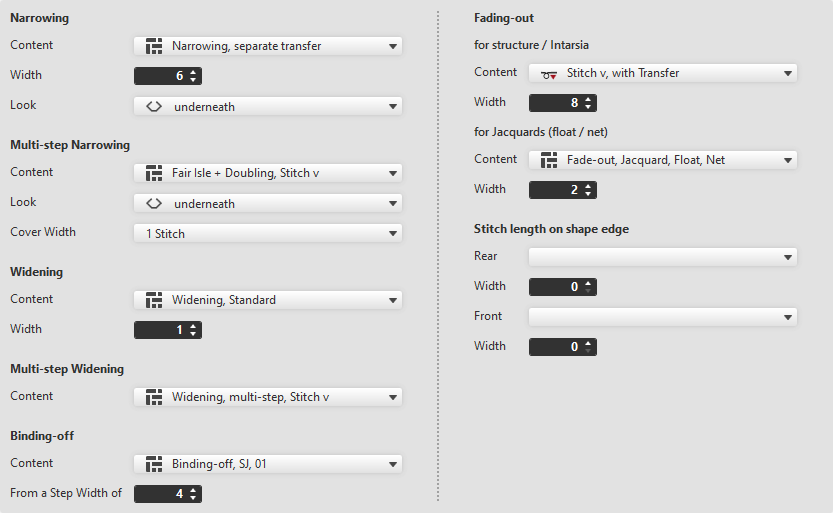
Make the following settings in the Varsayılan ayarlar section:
 By drag-and-drop is available to select the module.
Reglan
|
Kapsam |
Select narrowing module from the offered options or directly from the Knit Explorer. | |
|
Genişlik |
Set the width of the narrowing. | |
|
Görüntü |
Select the look for narrowing. | |
|
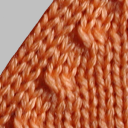
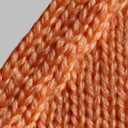
altta kalsın |
üstte kalsın | |


Çok adımlı reglanı
|
Kapsam |
Select the module for multi-step narrowing. |
|
Görüntü |
Select the look. |
|
Örtme mesafesi |
Enter cover width. |
Artırma
|
Kapsam |
Select widening module. |
|
Genişlik |
Enter width of the widening module. |

Çok basamaklı artırma
|
Kapsam |
Select the module for multi-step widening. |
Remayözleme
|
Kapsam |
Select module for the binding-off. |
|
Şu basamak genişliğinden itibaren |
Enter the minimum step width requiring binding-off. |

Soluklaştırma
The fading-out can be configured differently for Structure / Intarsia and Jacquard.
örgü yapısı / intarsiya için
|
Kapsam |
Select module for fading-out with Structure and Intarsia. |
|
Genişlik |
Enter the width for fading-out. |

jakarlar için (atlama / file)
|
Kapsam |
Select module for fading-out with Jacquards. |
|
Genişlik |
Enter the width for fading-out. |
Şekil kenarında ilmek uzunluğu
|
Arka |
Select the stitch length (NP value) for the rear needle bed. |
|
Genişlik |
Enter the width of the deviated stitch length in the rear of the shape edge. |
|
Ön |
Select the stitch length (NP value) for the front needle bed. |
|
Genişlik |
Enter the width of the deviated stitch length in the front of the shape edge. |
