|
Attributes in the entire pattern
 Bul ve değiştir Bul ve değiştir
|
- Open the Bul ve değiştir window.
- Switch off
 Seçim. Seçim. - Select the
 Desen renkleri under Ara / İğne verileri and the yarn color red under Değer. Desen renkleri under Ara / İğne verileri and the yarn color red under Değer.
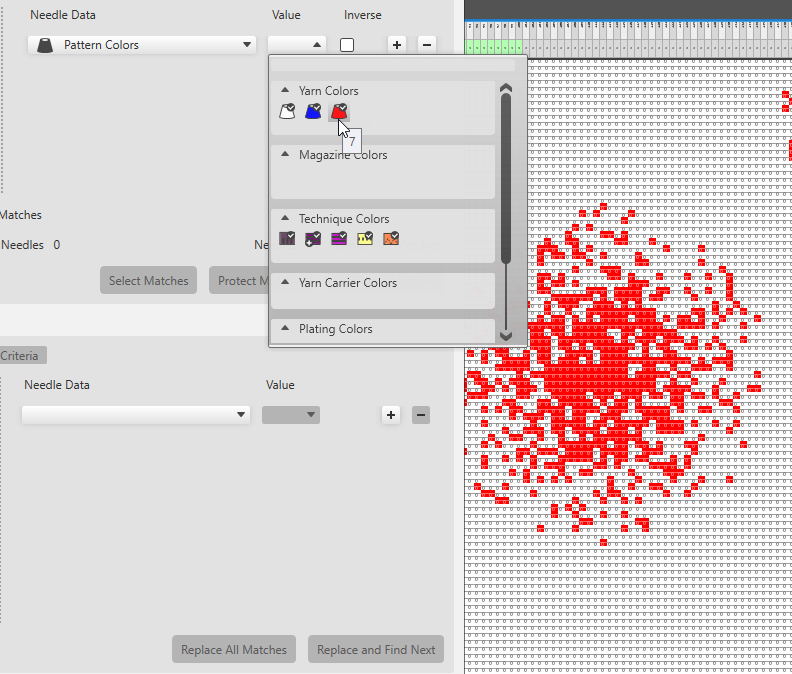
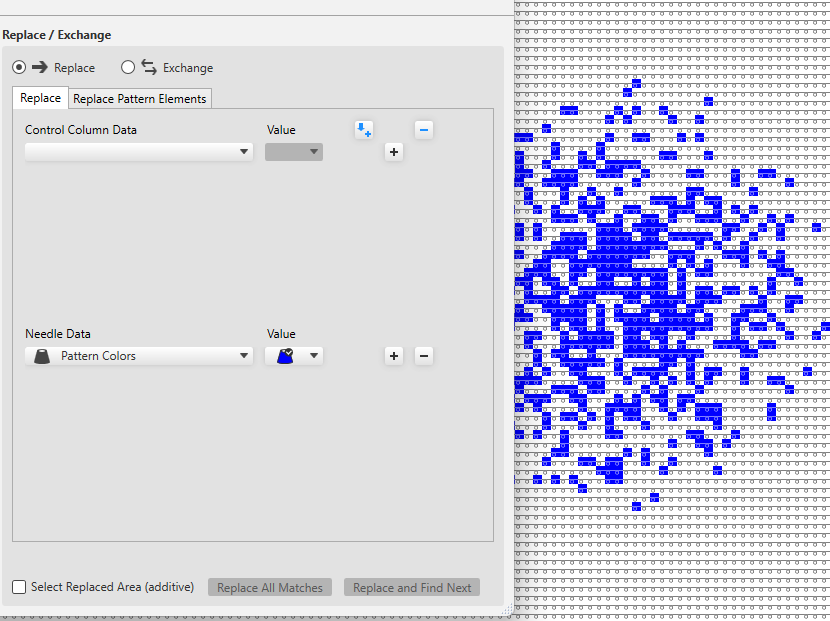
- Under Değiştir / Karşılıklı Değiştir / İğne verileri, select the pattern colors and under Değer, select the yarn color blue.
- Click on Tüm{1} sonucu değiştir to replace all the stitches found with the pattern color red by the color blue.
Or click on Değiştir ve aramayı sürdür to replace the found matches individually.
|
|
Structure modules in the selected area
Bul ve değiştir.
|
- Open the Bul ve değiştir window.
- Switch on
 Seçim. Seçim. - Under Ara / İğne verileri select the
 Yapı modülleri and under that select any module that is to be searched for. Yapı modülleri and under that select any module that is to be searched for. - Under Değiştir / Karşılıklı Değiştir / İğne verileri select the structure module that is to be inserted.
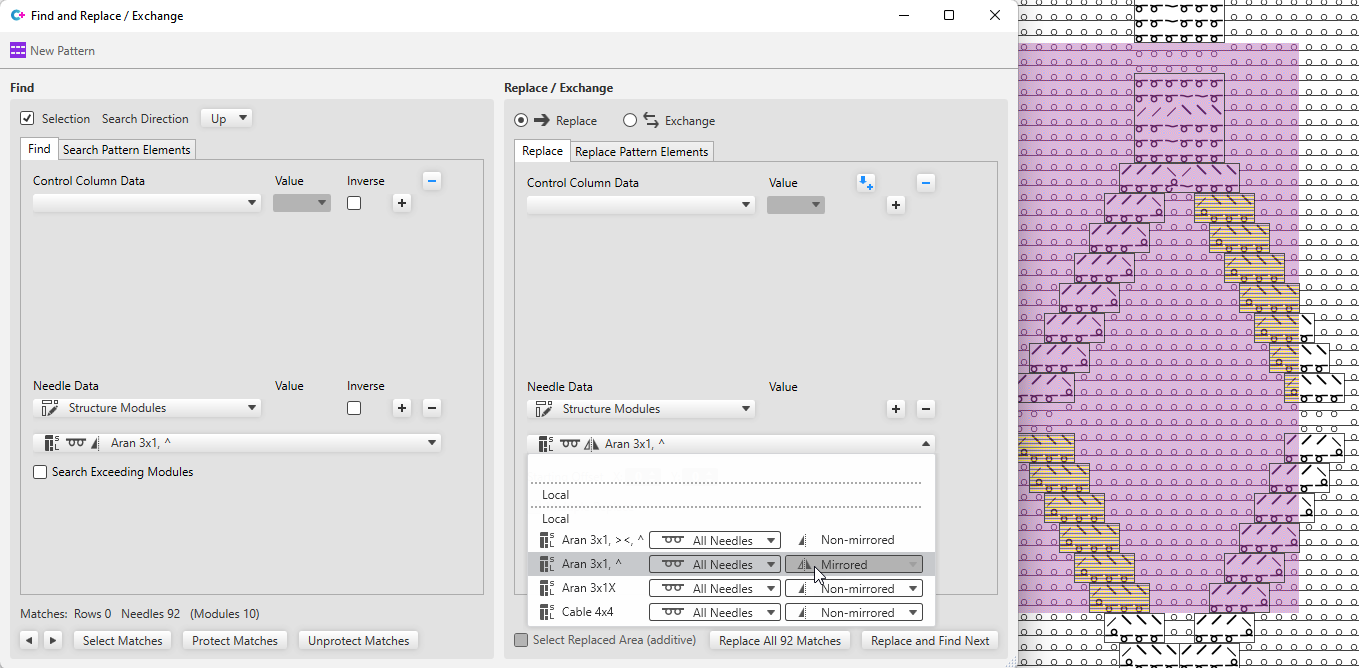
- Click on Tüm{1} sonucu değiştir to replace all the modules found in the selected area.
Or click on Değiştir ve aramayı sürdür to replace the found matches individually.
 All modules, even if they are only partially available in the selected area, are displayed as matches and replaced accordingly. All modules, even if they are only partially available in the selected area, are displayed as matches and replaced accordingly.
|
|
Control column data in the entire pattern
Bul ve değiştir.
|
- Open the Bul ve değiştir window.
- Switch off .
- Under Ara / Kumanda sütunu verileri select the desired control column and the corresponding Değer.
(e.g. Front Stitch Length, value: NP5) - Under Değiştir / Karşılıklı Değiştir / Kumanda sütunu verileri, select the control column and the Değer that is to be entered.
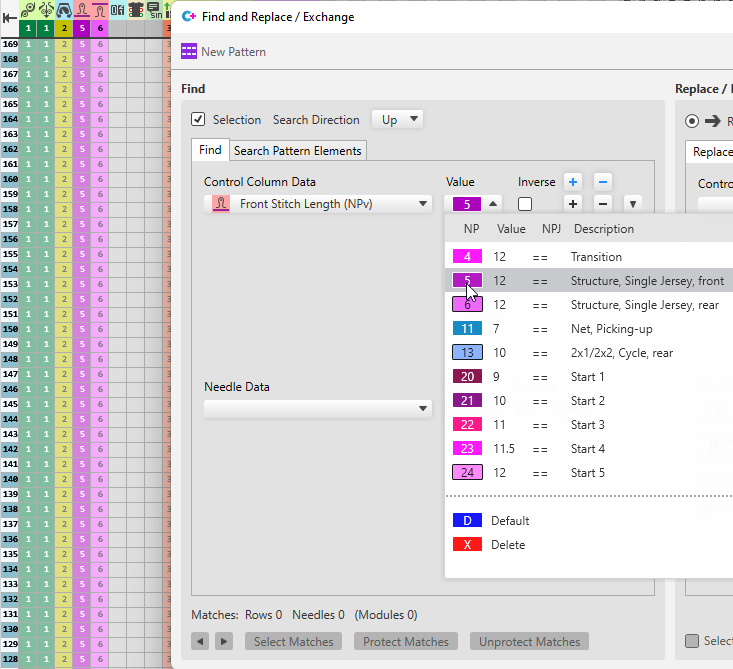
- Click on Tüm{1} sonucu değiştir to replace all the NP values found.
Or click on Değiştir ve aramayı sürdür to replace the found matches individually.
|
|
Search for, edit and replace a temporary pattern element in the entire pattern.
|
- Open the Bul ve değiştir window.
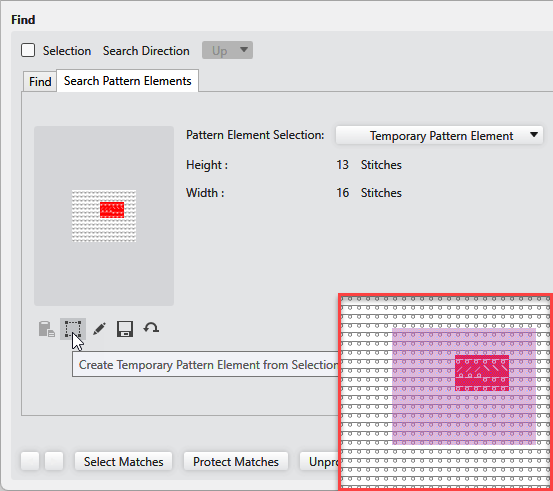
- Select the area in the pattern that you want to insert as a temporary pattern element in the search criteria.
- Click on
 Seçimden geçici desen parçası oluştur under Desen parçası ara. Seçimden geçici desen parçası oluştur under Desen parçası ara.
The area selected in the pattern appears as search criterion.
- Click on
 Arama kriterleri ekle under Değiştir / Karşılıklı Değiştir / Desen parçaları değiştir. Arama kriterleri ekle under Değiştir / Karşılıklı Değiştir / Desen parçaları değiştir.
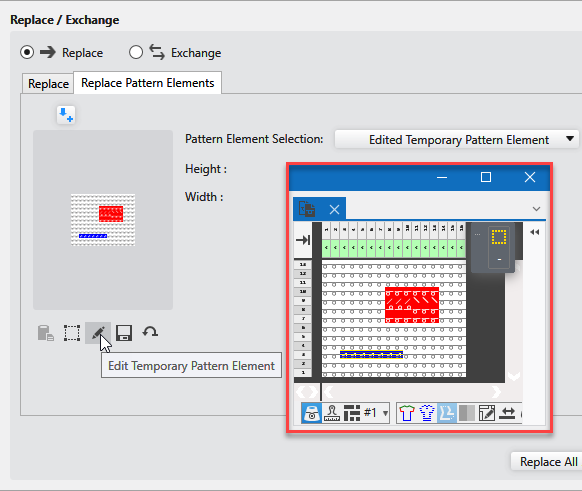
The temporary pattern element of the search criteria appears as criterion for insert. - Click on
 Geçici desen parçasını düzenle. Geçici desen parçasını düzenle.
The pattern element is opened. Make the desired changes and close it then.
The modified pattern element appears in the criteria for insert and under Desen parçası seçimi: appears: Düzenlenmiş geçici desen parçası
- Click on Tüm{1} sonucu değiştir to replace all the pattern elements found.
Or click on Değiştir ve aramayı sürdür to replace the found matches individually.
|