Clamping
Tutma Section
|
 Tutma kullan (tüm projede)
|
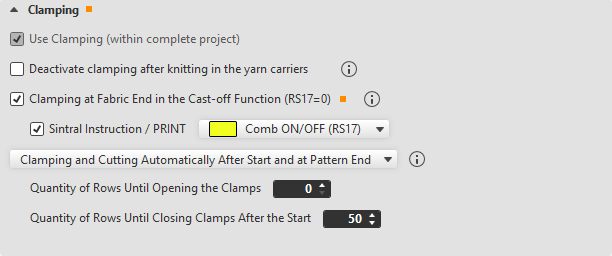
- If while generating a pattern a machine with a comb is selected and the check box Tarak is activated in the process, then the check box Tutma kullan (tüm projede) is already activated, but is not available.
- If when generating a new pattern the Tarak check box was deactivated, then the Tutma kullan (tüm projede) check box is available.
As a result, it is possible to work without a comb but with clamping. - This setting applies to all patterns in the project.
All knitting programs in the knitting order for the machine need the same yarn carrier home position.
|
|
Mekik örgü girdikten sonra tutmayı devre dışı bırak
|
Only available if Tutma kullan (tüm projede) is activated.
All yarn carriers will be taken out of the clamp at the start. Clamping and cutting will be disabled and the yarn carriers will be positioned on the clamping/cutting bed.
The total width of the needle bed can be used for knitting.
|
|
Örgü sonunda tutma işlemini ilmek kapama fonksiyonu (RS17=0)
|
Only available if Tutma kullan (tüm projede) is activated.
- Clamping occurs in the cast-off function.
With it the comb and the casting-off can be switched off by RS17=1. - The following pieces will be knit without comb take-down.
- RS17=0 will automatically be set for the last piece in order to get the yarns clamped and the fabric cast-off.
The setting Sintral komutu / PRINT appears for selection.
|
|
Sintral komutu / PRINT

|
Only available if Örgü sonunda tutma işlemini ilmek kapama fonksiyonu (RS17=0) is activated.
Select a Sintral Instruction / PRINT.
The selection will be applied to the last pattern row.
|
The following section appears with BMS machines at this point: