Yarn Carrier View
In the Mekik görünümü you can see the pattern in the sequence of the active order.
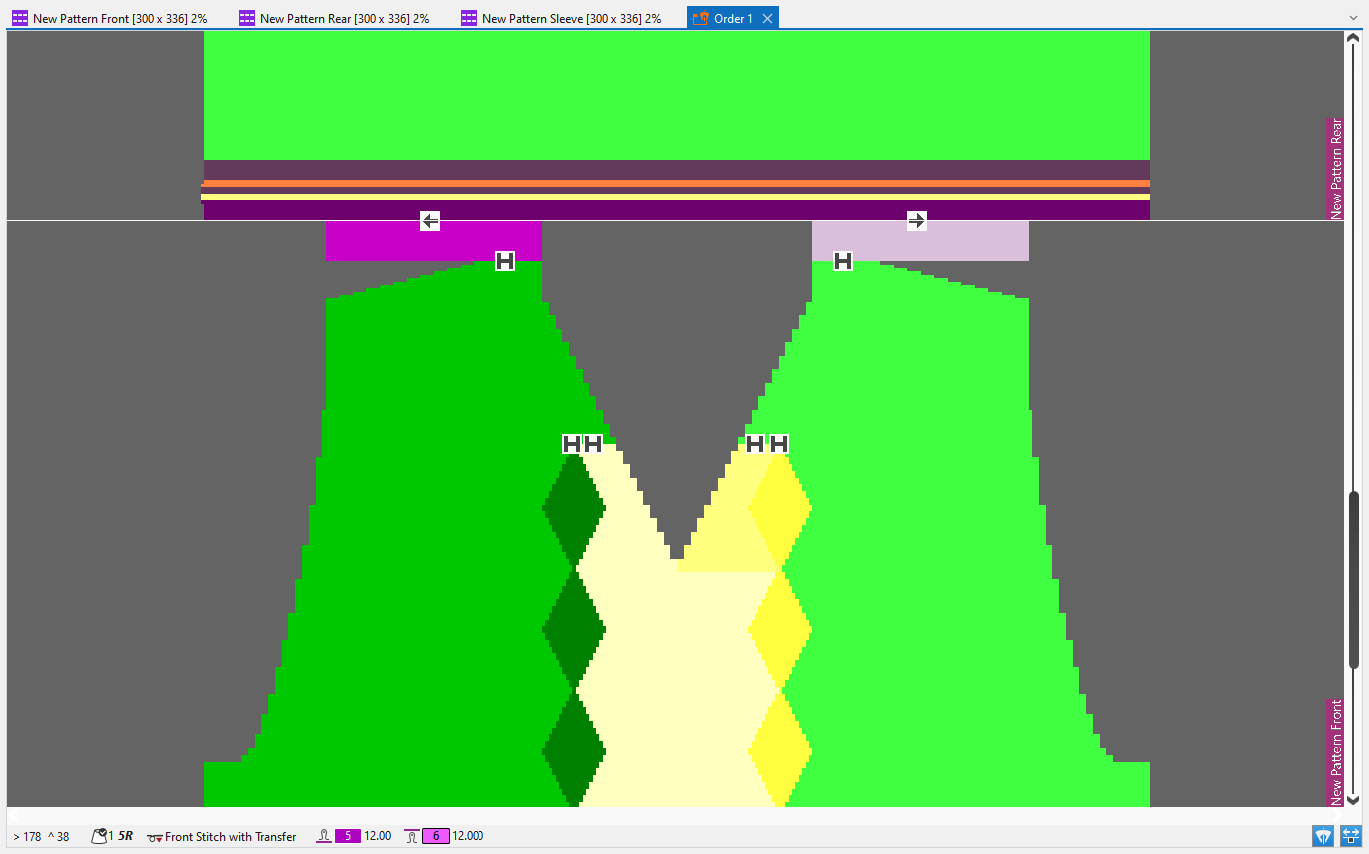
Color Areas
The pattern is displayed by color areas. Every color corresponds to a yarn carrier.
- Yarn carriers that were not allocated to a yarn carrier track yet, are displayed in the corresponding magazine color.
- Yarn carriers that already were allocated to a yarn carrier track are displayed in the corresponding yarn carrier color.
 When clicking on an color field in a pattern it is highlighted with a diagonal grid. Other areas from all patterns of the order where the same yarn carrier is used, are highlighted with diagonal lines.
In the Yarn Carrier tool window the corresponding yarn carrier and the color area are selected. The corresponding settings are displayed.
Tool tip on a color area
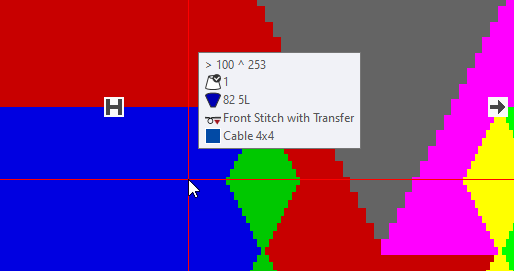
In the tool tip of a color area in the Mekik görünümü you can see the following information about the color area and the cursor position:
|
|
Coordinates of cursor position |
|
|
Yarn color of the color area |
|
|
Yarn carrier color and yarn carrier allocation |
|
|
Needle action at the cursor position |
|
|
Structure module at the cursor position (if available) |





Tool tip on a knitting-out symbol
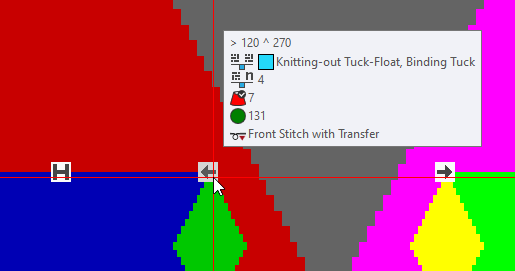
In the tool tip on a knitting-out symbol you can see the following information:
|
|
Coordinates of cursor position |
|
|
Module for the knitting-out |
|
|
Width of repetition for knitting-out |
|
|
Yarn color for the knitting-out |
|
|
Original magazine color of the yarn carrier |
|
|
Needle action at the cursor position |






The information for the yarn carriers are applied from the Mekikler tool window.
Status Bar