Module preview
In the upper pane of the tool window you can see the preview of the selected module.
The possible variants of the module are displayed beside the preview. The selected variant is highlighted.
When you select a module for drawing you then select the desired variant.
The presentation of the modules has the following meaning:
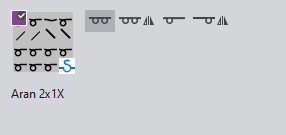
Structure Modules
|
|
Module variant Tüm iğneler |
|
|
Module variant Tüm iğneler, yansıtılmış |
|
|
Module variant 1x1 teknik |
|
|
Module variant 1x1 teknik, yansıtılmış |


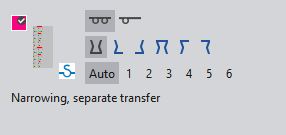
Narrowing Modules
|
|
Module variant Tüm iğneler |
|
|
Module variant 1x1 teknik |
|
|
Module variant Reglan altta kalsın |
|
|
Module variant Reglan altta kalsın - sola doğru |
|
|
Module variant Reglan altta kalsın - sağa doğru |
|
|
Module variant Reglan üstte kalsın |
|
|
Module variant Reglan üstte kalsın - sağa doğru |
|
|
Module variant Reglan üstte kalsın - sola doğru |
|
Auto |
Module variant Örtme mesafesi: |
|
1 to 6 |
Module variant Örtme mesafesi: |


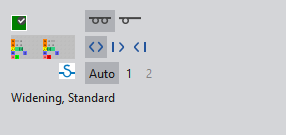
Widening Modules
|
|
Module variant Tüm iğneler |
|
|
Module variant 1x1 teknik |
|
|
Module variant Artırma |
|
|
Module variant Artırma sağa doğru |
|
|
Module variant Artırma sola doğru |
|
Auto |
Module variant Örtme mesafesi: |
|
1 to 2 |
Module variant Örtme mesafesi: |


