Duplicate Pattern with Shape
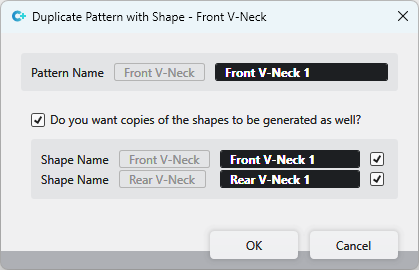
You make the following settings in the Deseni kesim ile çoğalt dialog box:
|
Desen adı |
The name of the selected pattern appears greyed out. Enter the new pattern name in the black edit box. |
|
|
|
|
Kesim adı |
Up to two shapes can be positioned on a pattern.
|

 If the checkbox is not activated, then the shapes are not duplicated.
 After confirmation of the entries, the pattern and the shapes appear under the corresponding original files.