Example 3 MA with NA (disregard)
Example 3 : Module Arrangement with Intarsia cycle
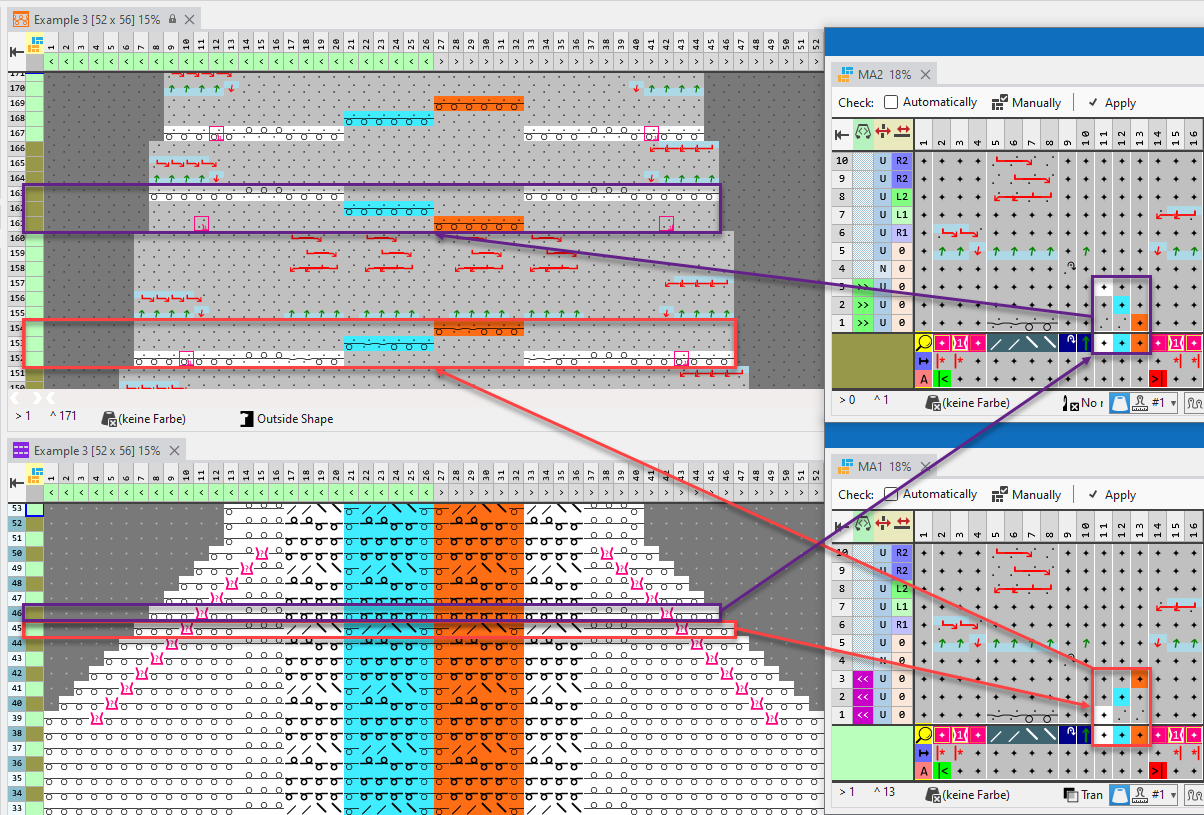
- With two alternating consecutive Module Arrangements, generate an Intarsia cycle.
Procedure
- Design Pattern is created:
Example: Cable stitch 2x2 <, narrowing edge, 3 colored, with needle actions for knitting and not knitting
- 1
- In the 行 control column, select the entire rows where the two Module Arrangements are to be used.
- 2
- Position the cursor in the pattern area.
- 3
- Open the context menu with RMB and select 选择 / 模块排列.
- The Module Arrangement will get open.
- 1
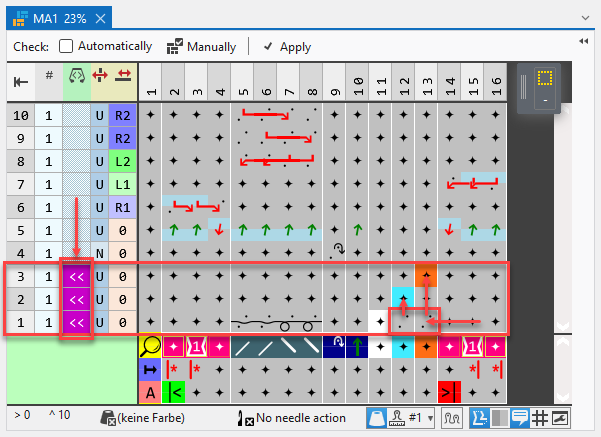
- With RMB on row 1, enter a row above it two times and fill with the symbol for transparent.
- 2
- Move the color Light Blue from row 1 to row 2 and the color Orange from row 1 to row 3.
Into the resulting spaces in row 1, has to be entered Delete Needle Action.
 - 3
- Enter knitting direction to the left into rows 1 to 3.
- 4
- Check the generated Module Arrangement regarding its correctness of the module structure with the
 检验 button.
 - 5
- Then apply the changes with the
 应用 button.
- or –
Close the Module Arrangement and confirm the query with Save. - Module Arrangement is saved locally as MA1 in the
 模块排列 tool window.
 - 6
- In the 模块排列 tool window with RMB on MA1 the Module Arrangement 复制 and rename the newly generated MA1 to MA2.
- 7
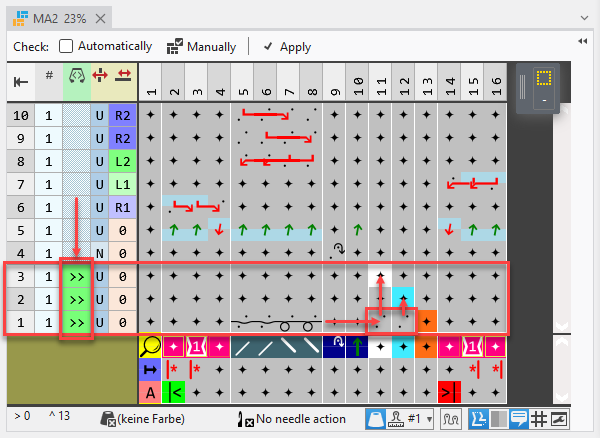
- Open MA2 and change the color sequence. Move the color Orange to row 1 and the color White to row 3.
Into the resulting spaces in row 1, has to be entered Delete Needle Action.
- 1
- Enter knitting direction to the right into rows 1 to 3.
- 2
- Check the generated Module Arrangement regarding its correctness of the module structure with the 检验 button.
- 3
- Then apply the changes with the 应用 button.
- or –
Close the Module Arrangement and confirm the query with Save. - Module Arrangement is saved locally in the 模块排列 tool window.
- 4
- Enter MA1 on odd and MA2 on even pattern rows in the design pattern.
- The Module Arrangements are expanded by the technical processing.