Protection Rows
保护行 Section
|
|
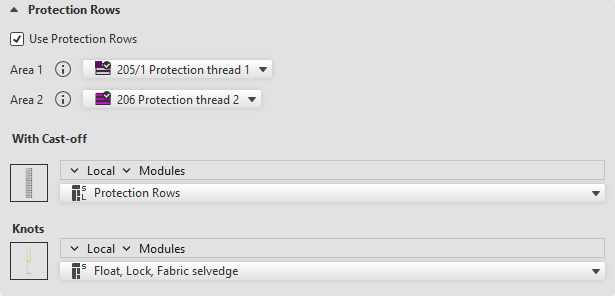
Use protection rows. |
|
Area 1 |
Protection Row Yarn Colors: Default and for the area at the right of the opening This setting is only used in one area. If the selection is set to automatic, the basic color or the color of the last pattern row is applied. |
|
Area 2 |
Protection row yarn color for the area at the left of the opening When two areas are knitted at the fabric end, Area 1 is applied on the right and Area 2 is applied on the left. For example with fully fashioned fabric with collar opening. |
|
无刷布 |
If a machine without comb or with a switched off comb is selected, the selection 无刷布 appears. Select the module for the protection rows at fabric end. The modules from the 工艺模块 / 特殊编织织片 / 保护行,无脱圈 module group are available.
|
|
带刷布 |
If a machine with an active comb is selected, the selection 带刷布 appears. Select the module for the protection rows at fabric end. The modules from the 工艺模块 / 特殊编织织片 / 保护行,带脱圈 module group are available.
|
|
打结 |
Select the module for the knot of the protection row thread. The modules from the 工艺模块 / 嵌花,编织带入/编织带出 / 起头处打结 module group are available.
|


