Multi-step Narrowing
The settings for 多步骤收针 depend from the variant that is chosen for the 均匀收针 curve type.
-
均匀收针
种类 默认
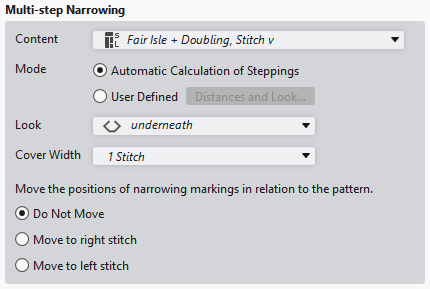
|
模块 |
Select module for 多步骤收针.
|
|
模式 |
Select the calculation mode. |
|
|
Calculate the steps automatically based on the line properties. |
|
|
Open the 线的距离 dialog box and make settings. |
|
外观 |
Select the look.
下收针 or |
|
覆盖宽度 |
Select cover width:
1 线圈 or |
|
相对于花型移动收针标记的位置 |
If the position of the narrowing marking has to be moved related to the pattern, it occurs according to the following criteria. |
|
|
The entered positions of the narrowing markings are maintained. |
|
|
The positions of narrowing markings are moved, if possible, in such a way that they are transferred to the jersey stitches. The markings of the left side are moved to the right if necessary. |
|
|
The positions of narrowing markings are moved, if possible, in such a way that they are transferred to the reverse jersey stitches. The markings of the left side are moved to the right if necessary. |


-
均匀收针
种类 梯形 and 锯齿
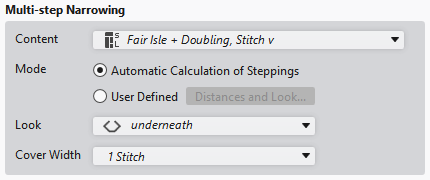
|
模块 |
Select module for 多步骤收针.
|
|
模式 |
Select the calculation mode. |
|
|
Calculate the steps automatically based on the line properties. |
|
|
Open the 线的距离 dialog box and make settings. |
|
外观 |
Select the look.
下收针 or |
|
覆盖宽度 |
Select cover width:
1 线圈 or |
-
均匀收针
种类皱褶

|
模块 |
Select module for 多步骤收针.
|