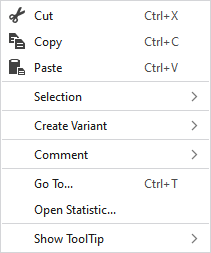
Context Menu of Modules
|
|
删除选择区域的内容并将其复制到剪贴板上。 | |
|
|
将选择区域的内容复制到剪贴板上。 | |
|
|
将剪贴板上的内容带到光标上(光标属性)。 | |
|
选择 |
Select |
The functions of the menu bar 选择 are also available in the context menu. |
|
保护 |
A selection can be protected from interventions. | |
|
创建变体 |
Creates the missing variants by using the generated module.
| |
|
注释 |
On any point in the module, position a pin, a comment or a graphic. | |
|
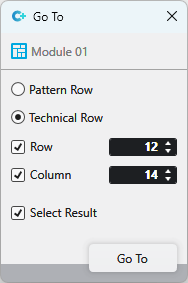
转到... |
Select Enter
| |
|
Open Statistics |
Open the Statistics dialog box. | |
|
显示工具提示 |
|
Activates the tooltip in the needle area. |
|
|
Activates the tooltip in the control columns. | |
|
|
The coordinates of the drawing are shown when drawing. | |


 This menu selection is only available with some technical modules.

 and
and